Online Order Management for Restaurants: A Technical Blueprint to Streamline Every Click
The digital dining revolution is no longer a trend—it’s a necessity. In 2024, 68 % of U.S. diners placed an order online, and that figure is projected to rise 12 % each year. If your restaurant still relies on handwritten tickets or a fragmented phone system, you’re leaving money on the table and customers on hold. This guide dives deep into online order management for restaurants, showing how the right technology can cut errors, boost revenue, and future‑proof your business.
 {:style=”width:100%;max-width:800px;height:auto;border-radius:12px;box-shadow:0 8px 30px rgba(0,0,0,0.12);” loading=”lazy”}
Benefits of Automating Restaurant Order Processes
Automation isn’t just a buzzword—it’s a strategic lever that transforms every touchpoint in the ordering journey.
Accuracy & Consistency
- Eliminate human error: Digital menus ensure every item is priced and described correctly.
- Standardized modifiers: Customers can specify preferences (e.g., “no onions, extra cheese”) with a single tap, preventing miscommunication.
- Real‑time updates: If an ingredient runs out, the system instantly disables the option, avoiding last‑minute surprises.
Pro Tip: Run a weekly audit of your online menu against your POS to catch discrepancies before they reach the kitchen.
Speed & Efficiency
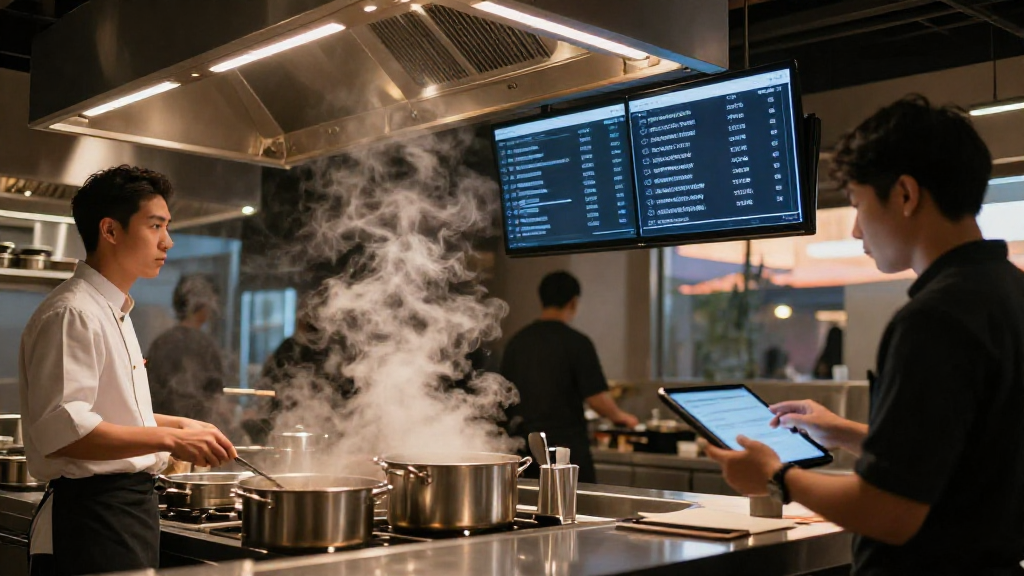
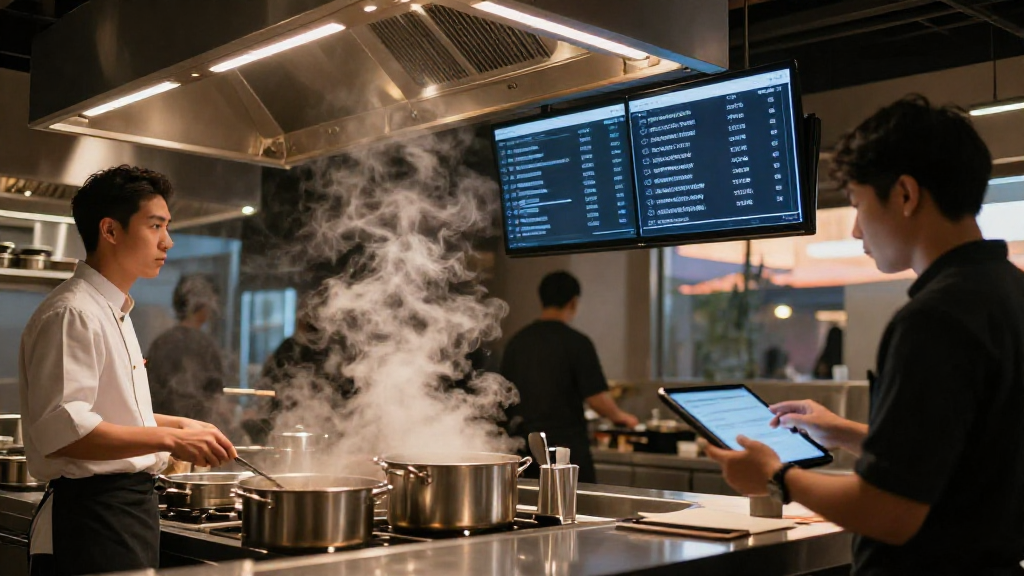
- Instant order capture: Orders flow directly into the kitchen display system (KDS), slashing average preparation time by ~25 %.
- Dynamic queue management: The system prioritizes orders based on preparation time and delivery window, ensuring timely fulfillment.
Data Insights & Forecasting
- Order analytics: Track peak times, popular dishes, and customer preferences.
- Inventory forecasting: Sync sales data with stock levels to predict reorder points, reducing waste by up to 15 %.
Enhanced Customer Experience
- Personalized recommendations: Leverage purchase history to suggest complementary items.
- Real‑time status updates: Customers receive push notifications from order placement to delivery, increasing satisfaction and repeat business.
Key Features of a Restaurant Order Management System
A robust digital order management system must do more than just take orders. Below are the essential capabilities that differentiate a true restaurant online ordering software solution.
| Feature | Why It Matters |
|---|---|
| Restaurant POS online order integration | Seamlessly pushes every web, mobile, or tablet order into the existing POS, eliminating duplicate entry. |
| Unified kitchen display (KDS) | Shows all incoming tickets in real time, allowing chefs to manage prep queues efficiently. |
| Third‑party delivery platform integration | Connects automatically to Uber Eats, DoorDash, Grubhub, etc., consolidating all channels into one dashboard. |
| Menu and pricing synchronization | Changes made in the POS instantly reflect on the online storefront, preventing out‑of‑date listings. |
| Security & compliance engine | Handles PCI‑DSS encryption, tokenization, and GDPR‑style data protection for every transaction. |
| Advanced reporting & AI forecasting | Generates actionable insights on sales trends, labor scheduling, and inventory needs. |
| Customizable modifiers & upsell prompts | Enables dynamic add‑ons (extra sauce, side upgrades) that increase average ticket size. |
| Multi‑location support | Centralizes order flow for chains while respecting local menus and inventory. |
Implementation Best Practices for Streamlining Online Orders
Deploying an online order management for restaurants solution is a multi‑stage project. Follow these best‑practice steps to ensure a smooth rollout and sustained performance.
- Map the end‑to‑end workflow
- Document every touchpoint—from the customer’s click to kitchen ticket generation and delivery hand‑off.
- Identify bottlenecks where manual intervention still occurs.
- Choose a platform with native POS integration
- Verify that the software supports your specific restaurant POS (e.g., Toast, Square, Lightspeed).
- Test the bidirectional sync in a sandbox environment before going live.
- Integrate third‑party delivery services early
- Use the system’s API connectors to pull orders from Uber Eats, DoorDash, and similar platforms into the same KDS.
- Set clear rules for order prioritization across channels.
- Secure the data pipeline
- Enable end‑to‑end TLS encryption for all API calls.
- Store only tokenized payment data; avoid retaining raw credit‑card numbers.
- Conduct a PCI‑DSS self‑assessment and schedule quarterly vulnerability scans.
- Train staff on the new digital workflow
- Run hands‑on sessions for front‑of‑house, kitchen, and delivery teams.
- Create quick‑reference cheat sheets for common error messages.
- Pilot with a single location or menu segment
- Launch the system on a limited menu or at one site, gather feedback, and iterate.
- Monitor key metrics: order accuracy rate, average prep time, and customer satisfaction scores.
- Roll out full‑scale and continuously optimize
- Expand to all locations once KPIs meet target thresholds.
- Leverage built‑in analytics to fine‑tune staffing, inventory, and promotional offers.
Security and Compliance Considerations
When handling restaurant online orders, data protection is non‑negotiable:
- PCI‑DSS compliance: Ensure the platform encrypts card data at rest and in transit, and that tokenization is used for storage.
- GDPR / CCPA readiness: Provide clear opt‑in/opt‑out mechanisms for marketing communications and honor data‑deletion requests promptly.
- Access controls: Implement role‑based permissions so only authorized staff can view or edit sensitive financial data.
- Audit logs: Keep immutable logs of order modifications, refunds, and user actions for forensic analysis if needed.
CTA – Let’s Future‑Proof Your Restaurant
Ready to eliminate order errors, accelerate service, and unlock data‑driven growth? Contact our team today for a free, no‑obligation demo of our restaurant online ordering software. Fill out the form below, and a solutions engineer will walk you through a customized implementation plan tailored to your kitchen’s unique needs.
Schedule My Demo → (Lead Generation)
Leave a Reply