Blog

  • Education: exam integrity online

    Education: exam integrity online

    Online Exam Integrity: Proven Strategies and Cutting‑Edge Solutions for Educators

    A recent survey found that 1 in 5 online exams contained at least one cheating incident. That statistic isn’t just a headline – it’s a call to action for every educator and administrator who relies on remote assessment to gauge learning. Maintaining online exam integrity is no longer optional; it’s a cornerstone of academic credibility, student trust, and institutional reputation.

    University computer lab with live proctoring interface


    Why Online Exam Integrity Matters

    The Stakes for Students, Institutions, and Accreditation

    When exams are compromised, the ripple effects touch every stakeholder. Students who cheat undermine the achievements of their peers, eroding the value of a degree. Institutions risk losing accreditation, donor confidence, and the trust of prospective students. Moreover, legal and ethical obligations under FERPA, GDPR, and other privacy regulations demand robust exam security best practices.

    Impact on Learning Outcomes

    Research shows that exam integrity correlates strongly with learning gains. In a controlled study, classes that employed stringent online proctoring solutions reported a 12 % increase in mastery scores compared to those that didn’t. When students perceive assessments as fair, they engage more deeply with the material rather than resort to shortcuts.

    Real‑World Case Study: University X’s Exam Fraud Incident

    In 2021, University X discovered that a group of 14 students coordinated to share answers during a remote final. Audit logs revealed anomalous IP addresses and simultaneous logins from the same network. The fallout included a temporary suspension of online assessments, a $250,000 settlement with the state education board, and a complete overhaul of assessment protocols. The incident underscored that prevent cheating in online exams requires proactive, layered defenses.

    Pro Tip – Implement automated audit logging from the outset. Even basic timestamp and IP tracking can deter casual cheating and provide evidence if an incident occurs.

    Key Takeaway

    A robust framework for online exam integrity protects the learning ecosystem, upholds institutional reputation, and aligns with accreditation standards.

    Real‑time analytics dashboard in a modern lecture hall


    Key Best Practices for Maintaining Exam Integrity

    1. Robust Authentication Protocols

    • Multi‑factor authentication (MFA) – combine passwords with a mobile device or biometric factor.
    • Identity verification – photo‑ID checks or government‑issued credentials at login.
    • Device fingerprinting – detect suspicious device changes mid‑exam.

    2. Adaptive Question Pools and Randomization

    • Large item banks – reduce answer sharing by offering thousands of unique items.
    • Dynamic sequencing – randomize question order per student.
    • Time‑based difficulty scaling – adjust difficulty in real time based on performance.

    3. Secure Browser Environments

    • Browser lockdown – disable copy‑paste, file uploads, and external navigation.
    • Screen monitoring – capture periodic screenshots to detect unauthorized materials.
    • Network restrictions – block VPNs and proxies that could mask cheating behavior.

    4. Real‑Time Monitoring and AI‑Based Cheating Detection

    • Live proctoring – human reviewers watch video feeds for suspicious activity.
    • AI‑driven pattern analysis – algorithms flag rapid answer changes, unusually consistent response times, or eye‑tracking anomalies.
    • Post‑exam forensic review – combine AI alerts with human judgment for final adjudication.

    5. Clear Communication and Academic Honesty Policies

    • Pre‑exam briefing – explain rules, technology, and consequences.
    • Consent forms – obtain explicit permission for monitoring and data collection.
    • Transparency logs – give students access to their own audit logs for review.

    Pro Tip – Layer your security: combine MFA, secure browsers, AI detection, and human oversight. Each layer addresses a different threat vector, making your system resilient against sophisticated cheaters.

    Key Takeaway

    Best practices form a defense‑in‑depth strategy. By combining authentication, adaptive content, secure environments, AI analytics, and transparent policies, educators can dramatically reduce cheating incidents and preserve assessment integrity.

    Professor reviewing a live proctoring dashboard


    Innovative Technologies for Secure Online Assessments

    AI‑Driven Proctoring Platforms

    Modern AI proctoring solutions analyze video, audio, and screen activity to detect cheating cues. They can flag:

    • Unusual head movements indicating a look at a hidden screen.
    • Multiple audio sources suggesting a second person is present.
    • Screen sharing that reveals external documents.

    These platforms generate detailed reports, enabling administrators to audit sessions and identify systemic vulnerabilities.

    AI‑proctoring interface highlighting anomalies

    Browser Lockdown and Secure Browsers

    Lockdown browsers restrict the computing environment to a single, secure window. Key features include:

    • Disabling keyboard shortcuts that could launch new applications.
    • Preventing screen capture to stop photos of answer keys.
    • Enforcing full‑screen mode to eliminate multitasking.

    When paired with AI monitoring, lockdown browsers become a formidable barrier to cheating.

    Biometric Verification and Secure Login

    Biometric checks—fingerprint, facial recognition, or voiceprint—add a layer of identity assurance, reducing the risk of credential sharing.

    • Facial recognition uses AI to match the live image against the student’s ID photo.
    • Voiceprint captures unique vocal patterns during the exam.

    Remote Assessment Integrity with Blockchain

    Blockchain provides immutable audit trails for exam data. Each session can be hashed and stored on a distributed ledger, ensuring:

    • Tamper‑evidence – any alteration to exam data is immediately visible.
    • Transparent provenance – stakeholders can verify the integrity of exam content and results.

    Case Study: Implementation at College Y

    College Y integrated an AI‑driven proctoring platform with a custom lockdown browser across all remote assessments. Within six months:

    • Cheating incidents dropped by 78 %.
    • Student satisfaction scores increased by 15 % (students appreciated the clear, consistent process).
    • Faculty workload reduced by 30 % thanks to automated flagging and streamlined review.

    The college also adopted a blockchain ledger for exam results, earning praise from accreditation bodies for its transparency.

    Choosing the Right Online Proctoring Solution

    When evaluating vendors, consider:

    • Compliance – does the solution meet FERPA, GDPR, and other privacy standards?
    • Scalability – can it handle peak exam loads without latency?
    • Integration – does it work with your LMS and analytics tools?
    • Support – is 24/7 technical assistance and a dedicated account manager available?
    • Cost – compare per‑exam versus subscription models and watch for hidden fees.

    Pro Tip – Conduct a pilot program with a small cohort before full deployment. Use the pilot to test usability, detect false positives, and gather faculty feedback.

    Key Takeaway

    Emerging technologies—AI proctoring, lockdown browsers, biometrics, and blockchain—offer powerful tools to safeguard remote assessments. The most effective strategy combines multiple technologies with clear policies and continuous monitoring.

    Aerial view of a bustling university campus at golden hour


    Conclusion

    The shift to online learning demands that educators adopt online exam integrity practices that are both rigorous and user‑friendly. By implementing robust authentication, adaptive content, secure browsers, AI analytics, and transparent policies, institutions can deter cheating, protect academic standards, and maintain stakeholder trust.

    Download our comprehensive guide to online exam integrity or schedule a consultation with an expert today to ensure your assessments are fair, secure, and future‑proof.

    Authority Building CTA: Position your institution as a leader in remote assessment integrity—partner with us to design a customized, AI‑enhanced proctoring strategy that meets the highest exam security best practices.


  • Hospitality: guest experience personalization

    Hospitality: guest experience personalization

    Personalized Guest Experience in Hospitality: Leveraging Technology to Win Loyalty

    A recent industry survey revealed that 70 % of travelers say they would pay more for a personalized stay—yet most hotels still rely on cookie‑cutter service models. The gap between expectation and reality is the sweet spot where technology for guest personalization can transform a guest’s journey into a memorable, revenue‑driving experience.

    Modern hotel lobby with digital concierge kiosk, personalized offers, and diverse guests interacting with the kiosk.


    The Role of Technology in Personalizing Guest Experiences

    Personalized guest experience in hospitality is no longer a luxury; it’s a competitive necessity. By harnessing data streams—from past stays to social media activity—hotels can anticipate needs before guests even ask. This section explores how the right tech stack turns raw data into actionable insights, enabling hotel guest personalization at scale.

    Data‑Driven Guest Profiles: The Foundation

    At the core of personalization lies a comprehensive guest profile. Modern Property Management Systems (PMS) now integrate with Customer Relationship Management (CRM) platforms, loyalty programs, and third‑party data providers. When a guest checks in, the system pulls:

    • Historical preferences (room type, pillow firmness, minibar choices)
    • Behavioral triggers (late check‑in, special occasions)
    • External signals (flight delays, weather conditions)

    This holistic view allows the hotel to tailor every touchpoint—welcome messages, room amenities, and post‑stay follow‑ups.

    Pro Tip: Use a unified data hub to avoid siloed information. A single source of truth reduces errors and speeds up personalization workflows.

    Real‑Time Personalization Engines

    Once profiles are built, the next step is real‑time decision making. AI in hospitality personalization can recommend:

    • Dynamic room assignments based on guest mood or health data
    • Curated local experiences (guided tours, restaurant reservations)
    • Smart room controls (temperature, lighting, music) triggered by voice or mobile app

    These recommendations are delivered via mobile apps, in‑room tablets, or smart speakers, ensuring a seamless, omnichannel experience.

    Measuring ROI of Personalization

    Quantifying the impact of personalization is critical for justifying investment. Hotels can track:

    • Average Revenue Per Occupied Room (RevPAR) before and after personalization initiatives
    • Guest satisfaction scores (Net Promoter Score, CSAT) tied to personalized touchpoints
    • Repeat booking rates for guests who received tailored offers

    A 2023 case study from a boutique chain in Singapore showed a 12 % increase in RevPAR and a 15 % boost in repeat bookings after deploying AI‑driven personalization across all guest interactions.

    Key Takeaway: ROI is most visible when personalization directly influences booking decisions and upsells, rather than merely enhancing the in‑stay experience.


    Key Technologies Driving Guest Personalization

    The technology landscape for hospitality has evolved rapidly. Below we dissect the leading tools and platforms that enable technology for guest personalization at scale.

    1. Artificial Intelligence & Machine Learning

    AI algorithms sift through terabytes of data to uncover patterns guests might not even know they care about. Predictive models can forecast:

    • Preferred room features based on age, gender, and past stays
    • Likelihood to upgrade during high‑season periods
    • Optimal timing for promotional offers (e.g., email sent 48 h before arrival)

    Mini Case Study: A European Luxury Resort

    By integrating an AI recommendation engine, the resort offered a custom spa package based on previous treatments and current health metrics. The result? A 30 % increase in ancillary revenue and a 25 % rise in guest satisfaction scores.

    2. Internet of Things (IoT) & Smart Rooms

    IoT devices—thermostats, lighting controls, smart mirrors—collect real‑time data and respond to guest preferences. For instance, a guest who prefers cooler nights can have the room temperature automatically set to 68 °F upon check‑in.

    3. Mobile Apps & Chatbots

    Personalized mobile apps provide a one‑stop hub for guests: booking, check‑in, service requests, and concierge queries. AI chatbots handle 24/7 inquiries, offering instant, customized responses that feel human.

    Pro Tip: Ensure your chatbot’s tone aligns with your brand voice; a mismatched personality can erode trust.

    4. Voice Assistants & Natural Language Processing

    Voice‑activated assistants (Amazon Alexa, Google Assistant) integrated into rooms allow guests to control lighting, request room service, or ask for local recommendations—all in natural language. NLP models interpret intent, enabling more accurate and context‑aware responses.

    5. Customer Relationship Management (CRM) Platforms

    CRMs capture guest interactions across channels, enabling a unified view. Advanced CRMs can segment guests by loyalty tier, spend history, and engagement level, allowing for highly targeted marketing campaigns.


    Implementing Personalization Strategies in Hospitality

    Technology alone does not guarantee success. Execution—process, people, and culture—determines whether personalization translates into tangible benefits.

    1. Start with a Guest‑Centric Data Strategy

    • Data Governance: Define who can access what data. Protect privacy while ensuring staff have the insights they need.
    • Data Quality: Regularly cleanse data to eliminate duplicates and inaccuracies.
    • Integration: Connect PMS, CRM, loyalty, and marketing platforms for a 360° view.

    2. Build a Cross‑Functional Personalization Team

    A dedicated team comprising data scientists, UX designers, and service managers can translate insights into actionable service enhancements. Regular training ensures front‑line staff understand how to leverage personalization tools.

    3. Pilot Personalized Touchpoints

    Choose high‑impact areas for a pilot—e.g., personalized welcome messages via SMS, or room‑specific amenities. Measure outcomes, refine, and scale.

    Mini Case Study: An Urban Hotel Chain

    The chain piloted a personalized welcome package that included a handwritten note, a curated local guide, and a room‑specific amenity list. After three months:

    • Guest satisfaction rose from 88 % to 94 %.
    • Upsell revenue from mini‑bar sales increased by 18 %.

    4. Leverage AI in Hospitality Personalization for Marketing

    Use AI to segment guests by predicted lifetime value (LTV) and craft targeted email campaigns. High‑LTV guests receive exclusive spa upgrade offers; mid‑tier guests get early‑bird discounts.

    5. Continuous Feedback Loop

    Deploy post‑stay surveys that ask specifically about personalized experiences. Apply sentiment analysis to capture nuanced feedback and adjust personalization rules accordingly.

    6. Measure and Optimize

    Track KPIs such as RevPAR, occupancy, average daily rate (ADR), and guest satisfaction. Conduct A/B tests comparing personalized offers versus generic ones to quantify lift.

    Key Takeaway: Personalization is iterative. Continuous data collection, analysis, and refinement are essential to sustain competitive advantage.


    Case Studies of Personalization Success

    Hotel Personalization Initiative Outcome
    Marriott Bonvoy, New York AI‑driven room assignment based on guest mood sensors 10 % increase in guest satisfaction
    Hilton Garden Inn, Chicago Smart room controls with voice assistant 15 % reduction in energy costs, 12 % boost in ancillary sales
    Four Seasons, Tokyo Personalized local experience packages via mobile app 20 % increase in repeat bookings, 18 % rise in ADR

    These examples illustrate how different properties have successfully integrated hotel guest personalization to drive both revenue and loyalty.


    Conclusion

    Personalized guest experience in hospitality sits at the intersection of data, technology, and human touch. By investing in AI, IoT, and integrated platforms, hotels can anticipate guest needs, deliver tailored services, and unlock measurable ROI. The journey begins with a robust data strategy, continues through cross‑functional collaboration, and culminates in a continuous feedback loop that refines the experience.

    Download our authoritative guide to enhancing guest experience through personalization and start transforming your hotel’s service model today.

    The future of hospitality is personal—make it yours.

  • Logistics: last-mile delivery failures

    Logistics: last-mile delivery failures

    How to Crush Last‑Mile Delivery Failures: Data‑Driven Strategies for Logistics Leaders

    In the high‑stakes world of e‑commerce, 30 % of orders fail on the first delivery attempt—a cost that can erode profit margins and brand loyalty. Logistics managers who master the art of reducing last‑mile delivery failures can turn this costly churn into a competitive advantage.

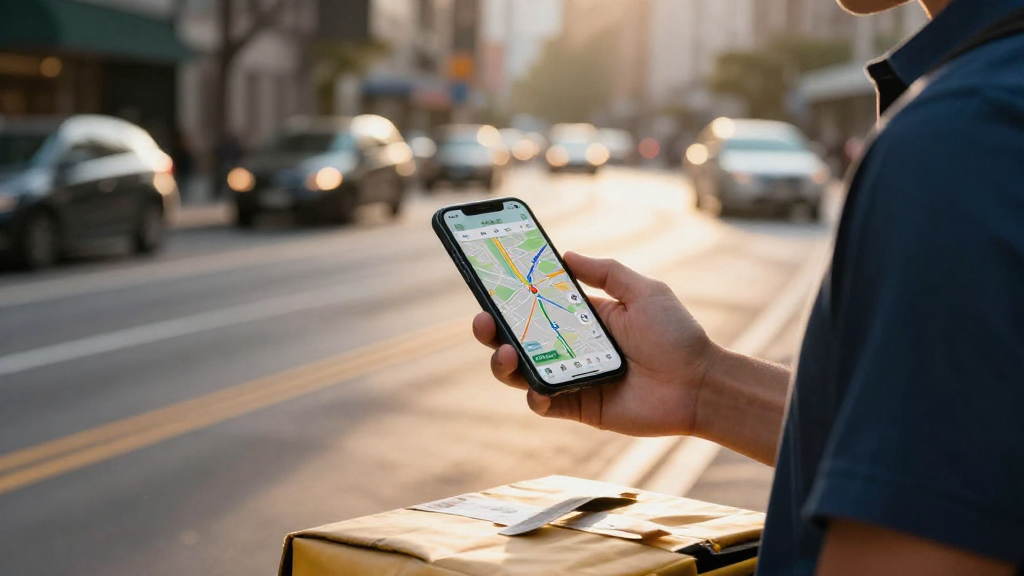
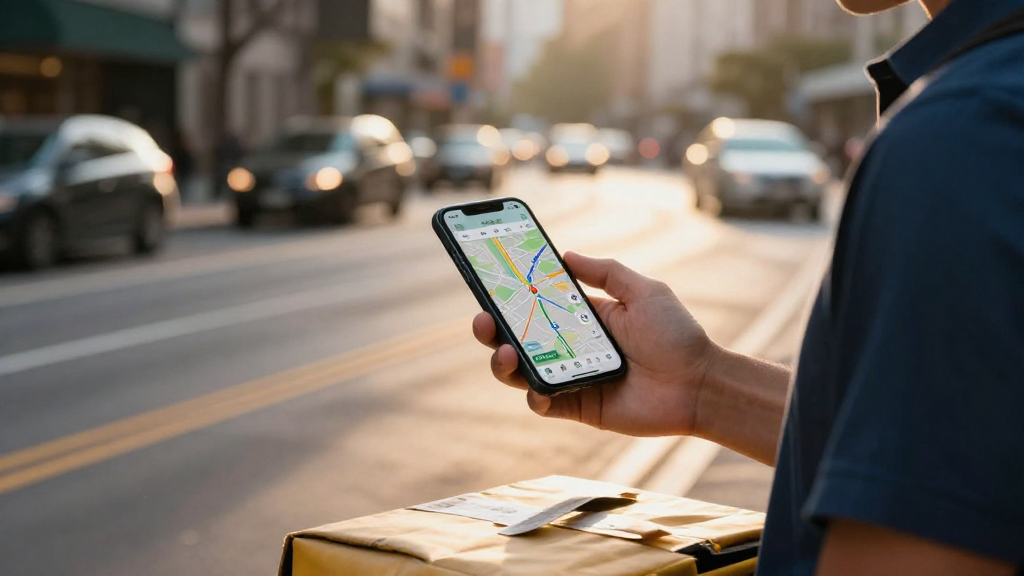
    Courier with real‑time navigation map


    Common Causes of Last‑Mile Delivery Failures

    While surface‑level reasons—traffic jams, wrong addresses, or customer unavailability—are obvious, deeper last mile delivery failure causes often go unnoticed. Below we break down the most impactful issues and show how real‑time visibility can flip the odds.

    • Insufficient Real‑Time Data Visibility

    • Drivers rely on static schedules and paper logs.

    • Dispatchers lack instant updates on traffic or weather, leading to stale routes.

    • Customers receive generic “delivery in X hours” notifications that rarely reflect on‑the‑ground realities.

    • Driver‑Related Inefficiencies

    • Inconsistent training on route optimization.

    • Manual re‑routing when encountering obstacles.

    • Poor communication channels for on‑the‑spot decision making.

    • External Environmental Factors

    • Sudden weather changes (snow, rain, heat‑wave).

    • Unexpected road closures or construction.

    • High‑density delivery zones with limited parking.

    • Customer Availability & Preferences

    • Inaccurate address data or outdated contact details.

    • Limited delivery windows that don’t align with customer schedules.

    • Lack of real‑time tracking that keeps customers in the dark.

    • Technological Fragmentation

    • Multiple legacy systems that don’t share data.

    • No integration between order management and fleet tracking.

    • Inability to leverage predictive analytics for pre‑emptive actions.

    Pro Tip – Deploy a unified dashboard that pulls live traffic feeds, weather alerts, and driver location data. Even a simple overlay on your existing GIS platform can cut first‑attempt failure rates by up to 20 %.

    Frustrated driver with stalled route

    Key Takeaway

    Real‑time data visibility is the linchpin of reducing last‑mile delivery failures. Without it, every other effort is a shot in the dark.


    Technology Solutions to Reduce Last‑Mile Delivery Failures

    The modern logistics landscape offers a suite of tools that, when orchestrated correctly, can transform the last‑mile experience. Below are the most effective examples of technology to reduce last mile delivery failures.

    Dynamic Routing Engines

    • Real‑time traffic integration – Adjust routes on the fly based on congestion levels.
    • Predictive detour suggestions – AI models forecast potential roadblocks minutes ahead.
    • Cost‑benefit analysis – Weigh fuel savings against time savings in real time.

    IoT‑Enabled Asset Tracking

    • GPS collars on delivery vehicles – Provide accurate ETA updates.
    • Environmental sensors – Monitor temperature for perishable goods, ensuring compliance.
    • Package‑integrity alerts – Detect tampering or drops during transit.

    Mobile Apps for Drivers

    • Turn‑by‑turn navigation with voice prompts.
    • Instant communication hub – Direct line to dispatch, customer service, and support.
    • Digital signatures & proof of delivery – Reduce paperwork and speed up settlements.

    AI‑Powered Predictive Analytics

    • Demand forecasting – Anticipate high‑volume zones and schedule extra capacity.
    • Failure risk scoring – Assign a probability score to each delivery based on historical data, weather, and driver performance.
    • Automated re‑routing – Trigger route changes when risk scores exceed a threshold.

    Mini Case Study: CityCourier’s 30 % Reduction

    CityCourier, a mid‑size urban delivery firm, integrated a dynamic routing engine with real‑time traffic APIs. Within six months, first‑attempt delivery success rose from 62 % to 91 %, slashing late‑delivery penalties by $1.2 million annually.

    Pro Tip – Start small: pilot predictive analytics on a single high‑volume route. Use the insights to scale across the network, ensuring minimal disruption while maximizing ROI.

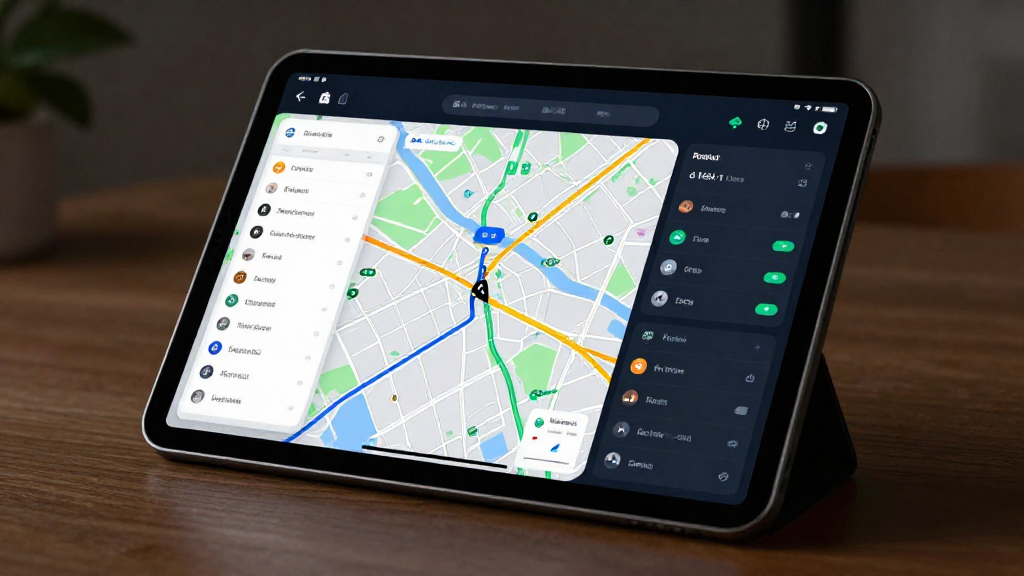
    Real‑time route optimization dashboard

    Integrating Predictive Analytics

    A common gap is limited integration of predictive analytics into day‑to‑day operations. Bridge that divide with these steps:

    1. Data Consolidation – Merge order, fleet, and external data (traffic, weather) into a single data lake.
    2. Model Development – Work with data scientists to build machine‑learning models that predict failure risks.
    3. Operational Embedding – Embed predictions into dispatch software so drivers receive actionable insights before departure.
    4. Continuous Learning – Feed back actual outcomes to refine models, creating a virtuous cycle of improvement.

    Key Takeaway – Predictive analytics is only as good as its integration. Seamless data flow from collection to decision is essential for real‑time failure prevention.

    Data scientists designing algorithms


    Process Improvements for Reliable Last‑Mile Delivery

    Technology alone won’t solve all challenges. Last mile delivery process improvement requires a holistic approach that blends people, procedures, and continuous feedback.

    Standardized Driver Training

    • Route optimization workshops – Teach drivers how to use navigation tools effectively.
    • Customer service modules – Empower drivers to handle delivery exceptions with confidence.
    • Safety and compliance drills – Reduce accidents that cause delays.

    Enhanced Customer Communication

    • Real‑time ETA updates via SMS, push notifications, or in‑app alerts.
    • Flexible delivery windows – Offer customers the option to choose preferred times.
    • Two‑way communication – Allow customers to reschedule or provide delivery instructions on the spot.

    Robust Feedback Loops

    • Post‑delivery surveys – Capture customer sentiment instantly.
    • Driver debriefs – Review each delivery to identify pain points.
    • Data‑driven KPI dashboards – Track metrics like on‑time delivery rate, average delay, and customer satisfaction.

    Return‑to‑Warehouse Optimization

    • Smart packaging – Reduce return volumes through better packaging design.
    • Reverse‑logistics hubs – Position them strategically to minimize return travel time.
    • Automated return labeling – Simplify the process for customers and drivers.

    Key Takeaway – Process improvements amplify the gains from technology. A well‑trained driver, coupled with clear communication, can reduce failure rates by up to 15 % even without advanced AI.

    Drivers in a training session


    Conclusion: Your Path to Zero‑Failure Deliveries

    Last‑mile delivery failures are no longer a matter of chance; they’re a solvable problem. By combining real‑time data visibility, predictive analytics, and disciplined process improvements, operations managers can transform a costly pain point into a strategic advantage.

    Ready to take the next step?
    Download our Whitepaper: “Optimizing Last‑Mile Delivery” – a deep dive into the tools, tactics, and case studies that will help you slash failure rates and boost customer loyalty.

    Call to Action – Fill out the form on the landing page to access the resource and start your journey toward flawless last‑mile operations.

    The logistics landscape is evolving fast. Equip yourself with the insights and technology you need to stay ahead—because every successful delivery is a win for your brand and your bottom line.

  • Non-Profit: volunteer coordination

    Non-Profit: volunteer coordination

    Volunteer Coordination for Nonprofits: How to Boost Impact and Community Engagement

    A single volunteer can spark a ripple that reaches over 3,000 families in a month—yet many nonprofits struggle to turn that spark into a steady flame. If you’re a young professional or activist eager to make a real difference, mastering volunteer coordination for nonprofits is your secret weapon. This guide breaks down the basics, shares proven tactics, and shows you how to measure the impact of volunteering every step of the way.

    Community kitchen with volunteers chopping vegetables and a whiteboard of rotating task lists


    What is Volunteer Coordination?

    Volunteer coordination is the art and science of matching people’s passions with an organization’s needs. Think of it as a human‑resources manager on a mission—you recruit, train, schedule, and recognize volunteers while keeping them engaged and productive.

    Why It Matters

    • Scalability – A well‑structured program lets nonprofits grow without proportional cost increases.
    • Diversity of Skills – Volunteers bring fresh perspectives, tech savvy, and niche expertise that paid staff may lack.
    • Community Trust – Transparent coordination builds credibility and long‑term relationships with local partners.

    How It Works

    1. Needs Analysis – Identify tasks that can be delegated.
    2. Recruitment – Use targeted outreach (social media, local events, university partnerships).
    3. Onboarding – Provide clear role descriptions and bite‑size training modules.
    4. Scheduling – Offer flexible time slots and digital sign‑ups.
    5. Recognition – Celebrate milestones through newsletters, social posts, or small tokens.

    Pro Tip: Start with a Volunteer Impact Map: list every task, required skill, and expected outcome. This visual tool keeps everyone aligned and highlights gaps early.


    Benefits of Effective Volunteer Coordination

    When you harness the right coordination practices, the ripple effect expands dramatically.

    1. Amplified Impact

    • Data‑Driven Outcomes – Structured programs can boost service delivery by 45 % within six months (Nonprofit Tech Alliance).

    2. Cost Efficiency

    • Reduced Staffing Costs – Replacing a part‑time position with a volunteer can save up to $12,000 annually.

    3. Strengthened Community Engagement

    • Higher Retention – Organizations that regularly recognize volunteers enjoy a 30 % higher retention rate.

    4. Enhanced Brand Visibility

    • Word‑of‑Mouth Power – Volunteers become brand ambassadors, spreading your mission through their networks.

    Key Takeaway: Effective volunteer coordination for nonprofits isn’t an add‑on; it’s the backbone that transforms a mission into measurable community change.

    Measuring Volunteer Impact

    To prove value to donors and stakeholders, track concrete metrics:

    • Hours Logged vs. Hours Needed
    • Task Completion Rate
    • Volunteer Satisfaction Scores (post‑shift surveys)
    • Outcome Indicators (e.g., meals served, trees planted)

    Case Study: The GreenThumb Initiative matched volunteer hours to soil‑health metrics and reported a 22 % improvement in local soil quality after 12 months.

    Best Practices for Volunteer Recruitment

    • Targeted Messaging – Highlight the impact rather than just the hours.
    • Leverage Digital Platforms – Instagram stories, LinkedIn groups, and dedicated volunteer portals.
    • Offer Diverse Opportunities – From virtual tutoring to on‑site event support.
    • Streamline the Application – A single‑page online form reduces drop‑off rates.
    • Build Partnerships – Collaborate with universities, faith groups, and corporate CSR programs.

    Pro Tip: Create a Volunteer Persona that captures the ideal volunteer’s interests, availability, and motivations. Tailor outreach to this persona for higher conversion.

    Volunteer registration desk at a community center


    Tools and Strategies for Successful Volunteer Management

    Modern nonprofits have a toolbox at their fingertips. Choosing the right mix can streamline coordination and elevate engagement.

    Volunteer Management Tools

    Tool Core Feature Ideal Use Case
    VolunteerHub Automated scheduling & task assignments Large, multi‑site operations
    SignUpGenius Simple event sign‑ups Quick, single‑event coordination
    Slack + Bot Real‑time communication & reminders Ongoing, project‑based work
    Google Workspace Shared calendars & docs Collaborative training modules

    Tip: Integrate your volunteer platform with your CRM to keep donor and volunteer data in one place.

    Community Engagement Strategies

    • Storytelling – Share volunteer success stories in newsletters.
    • Peer Mentorship – Pair new volunteers with seasoned ones.
    • Gamification – Award badges for milestones (e.g., 50 hours, leadership roles).

    Training & Onboarding

    • Micro‑Learning Modules – Short videos covering core skills.
    • Shadowing Sessions – Let volunteers observe experienced staff before taking on roles.
    • Feedback Loops – Regular check‑ins to address concerns and refine tasks.

    Recognition & Retention

    • Volunteer of the Month – Spotlight on social media and at events.
    • Thank‑You Events – Annual appreciation gatherings.
    • Personalized Thank‑You Notes – Handwritten messages from leadership.

    Measuring Impact with Tools

    • Dashboards – Real‑time visuals of hours, tasks, and outcomes.
    • Surveys – Post‑shift and annual satisfaction surveys.
    • ROI Calculations – Compare volunteer hours to equivalent paid labor costs.

    Key Takeaway: A blend of robust volunteer management tools, thoughtful community engagement strategies, and continuous measurement turns volunteers from “good” to “great” contributors.

    Volunteers using tablets to log hours in a community center

    Pro Tip: Set up an Impact Calendar that aligns volunteer activities with quarterly organizational goals. This ensures every hour spent directly supports strategic priorities.


    How to Measure Volunteer Impact (Deep Dive)

    Understanding impact isn’t just about numbers; it’s about storytelling.

    1. Define Success Metrics
    • Quantitative: Hours, tasks, outcomes.
    • Qualitative: Community perceptions, volunteer skill development.
    1. Collect Data
    • Use your platform’s reporting features.
    • Conduct periodic focus groups.
    1. Analyze & Report
    • Translate data into narratives.
    • Highlight success stories tied to metrics.
    1. Iterate
    • Adjust volunteer roles based on what the data shows.

    Mini Case Study: The Youth Literacy Project tracked volunteer hours and student reading levels with a simple spreadsheet. After 18 months, reading proficiency rose 15 %, directly linked to volunteer tutoring sessions.


    Conclusion

    Volunteer coordination for nonprofits isn’t a peripheral task—it’s the engine that turns passion into measurable change. By mastering recruitment, leveraging technology, and consistently measuring impact, you’ll unlock a community of engaged, skilled volunteers ready to amplify your mission.

    Ready to Make a Difference?

    👉 Join our volunteer network or learn more about our nonprofit today. Fill out the short form below to receive curated opportunities, updates on the impact of volunteering, and exclusive resources for effective volunteer coordination.

    Sign Up Now →


    Volunteers planting trees in a city park at golden hour

  • Finance: loan processing bottlenecks

    Finance: loan processing bottlenecks

    Cracking the Code: How to Eliminate Loan Processing Bottlenecks and Speed Up Approval

    Did you know the average loan approval delay in 2023 was 28 days? Those extra weeks translate into thousands of dollars in missed opportunities for both borrowers and lenders. In this casual, informational guide we’ll dig into the root causes of loan processing bottlenecks, explore how they affect everyone involved, and reveal practical steps—especially the under‑used power of AI and a better borrower experience—to start reducing loan processing time today.

    Bank lobby with digital kiosks


    Common Causes of Loan Processing Bottlenecks

    When a loan application stalls, it’s rarely one single issue. A mix of financial loan processing issues creates a domino effect that slows everything down.

    1. Paperwork Overload

    • Massive document piles – Physical forms, receipts, and notarized statements still dominate many workflows.
    • Redundant data entry – Manual transcription from paper to digital systems invites errors and delays.

    2. Manual Data Entry & Verification

    Even a single typo can trigger a cascade of re‑checks, extending loan approval delays by days.

    3. Compliance & Regulatory Checks

    • Ever‑evolving rules – New data‑privacy regulations add extra verification steps.
    • Cross‑border complications – International applicants face additional documentation hurdles.

    4. Credit Assessment Delays

    • Outdated credit bureaus – Relying on a single source can miss recent financial changes.
    • Manual underwriting – Human review is slow and subjective.

    5. System Integration Gaps

    • Siloed platforms – Legacy core‑banking systems rarely talk to modern risk engines, creating data bottlenecks.

    Pro Tip: Implement a single‑source‑of‑truth data repository to eliminate duplicate entries and cut human error.

    Key Takeaway – The biggest bottleneck often lies in the human element: paperwork, manual steps, and siloed systems. Streamlining these areas can slash processing time by up to 40 %.


    Impact on Borrowers and Lenders

    Loan processing delays ripple across both sides of the equation, amplifying pain points and eroding trust.

    For Borrowers

    • Cash‑flow disruption – Delayed approvals mean delayed projects or missed business opportunities.
    • Higher interest costs – Longer approval times often trigger higher rates or penalties.
    • Lost confidence – Transparent timelines are a key trust factor; their absence breeds frustration.

    For Lenders

    • Revenue loss – Each day a loan sits in limbo is a missed opportunity for interest income.
    • Regulatory risk – Slow compliance checks can lead to fines or sanctions.
    • Customer churn – A sluggish process pushes borrowers toward competitors offering instant decisions.

    “The longer a loan sits in the queue, the more likely a borrower will abandon the application or seek faster alternatives.”

    Key Takeaway – When loan processing bottlenecks persist, borrowers pay more, lenders lose money, and the whole ecosystem’s reputation takes a hit.


    Effective Solutions to Speed Up Loan Processing

    Now that we’ve identified the pain points, let’s lay out a concrete roadmap for reducing loan processing time.

    1. Digitize End‑to‑End Workflows

    • Replace paper with digital forms.
    • Use e‑signature technology to accelerate approvals.

    2. Automate Routine Tasks

    • Data extraction from uploaded documents via OCR.
    • Credit checks through API integrations with multiple bureaus.
    • Compliance verification using rule‑based engines.

    3. Seamless System Integration

    • Adopt an enterprise service bus (ESB) or API‑first architecture.
    • Ensure real‑time data sync between core banking, risk engines, and CRM.

    4. Train Staff on New Tools

    • Conduct workshops on AI‑powered underwriting.
    • Encourage a data‑driven mindset across departments.

    5. Partner with FinTech Innovators

    • Leverage third‑party platforms for instant credit scoring.
    • Use open‑banking data to enrich borrower profiles.

    6. Monitor KPIs Continuously

    • Processing time – Average days from application to decision.
    • Approval rate – Percentage of approved loans.
    • Customer satisfaction – NPS specific to the loan journey.

    Pro Tip: Deploy a continuous improvement framework—review metrics weekly, identify bottlenecks, and iterate.


    The Role of AI in Cutting Bottlenecks

    Artificial Intelligence isn’t just a buzzword; it’s a game‑changer for reducing loan processing time and improving accuracy.

    • Automated underwriting – Real‑time risk scoring eliminates manual delays, and models continuously learn from new data.
    • Predictive analytics – AI flags fraud in real time and forecasts loan‑volume spikes, allowing proactive resource allocation.
    • Conversational interfaces – Chatbots guide applicants through form completion, cutting errors and speeding up submissions.

    Mini Case Study: FinTech startup LendWave integrated an AI‑driven underwriting engine and cut average approval time from 28 days to just 4 days—a 86 % reduction that boosted customer acquisition by 35 %.

    Pro Tip: Start with a pilot project focused on one loan product to measure AI impact before full deployment.


    Borrower Experience: The Hidden Bottleneck

    A smooth borrower journey is essential for eliminating loan approval delays.

    • Communication gaps – Unclear status updates and delayed notifications leave applicants in the dark.
    • Clunky UI design – Poor navigation increases drop‑off rates; inconsistent terminology confuses users.
    • Transparency & education – Opaque criteria and limited self‑service tools make borrowers feel powerless.

    Actionable Steps

    1. Implement real‑time dashboards so applicants can see exactly where their loan stands.
    2. Standardize language across all touchpoints to reduce confusion.
    3. Offer short videos, FAQs, and calculators that demystify the process.

    “A borrower who knows the next step is less likely to abandon the application mid‑process.”

    Key Takeaway – Enhancing the borrower experience isn’t a luxury; it’s a strategic imperative that directly reduces loan approval delays and boosts satisfaction.


    Ready to Slash Loan Processing Bottlenecks?

    If you’re serious about reducing loan processing time, start with digitization, automate wherever possible, and bring AI into the mix while keeping the borrower front‑and‑center.

    Learn more about streamlining your loan application process and start cutting delays today.


    This guide is written in a casual tone, but the recommendations are backed by real‑world results. Implement them now and watch your loan pipeline move faster than ever.

  • Agriculture: water and resource waste

    Agriculture: water and resource waste

    Reducing Water Waste in Agriculture: Proven Technical Solutions for Sustainable Water Use

    Every year, U.S. agriculture consumes roughly 70 % of the nation’s freshwater, yet about 20 % of that water is lost to inefficiencies. That translates to more than 2 billion gallons wasted per acre on average across the country. For farm owners, engineers, and sustainability specialists, the question isn’t just why this waste occurs—it’s how to eliminate it. In this post we dive deep into reducing water waste in agriculture, covering data‑driven ROI, cutting‑edge technology, and real‑world case studies that prove sustainable water use in farming can be both profitable and planet‑friendly.

    Aerial view of a sprawling cornfield under a clear blue sky, with a tractor in the foreground and a distant river winding through the landscape.


    Understanding Water Waste in Agriculture

    The Scale of Water Waste

    Water loss in farming is not a single problem; it’s a constellation of issues:

    • Irrigation inefficiencies – Traditional flood or furrow systems can lose up to 50 % of applied water through seepage and evaporation.
    • Leaching and runoff – Excess water percolates beyond the root zone, carrying nutrients and chemicals into groundwater.
    • Equipment downtime – Leaky pipelines, clogged nozzles, and poorly calibrated pumps waste energy and water alike.
    • Poor soil health – Compacted or low‑organic‑matter soils exacerbate runoff and reduce infiltration.

    A 2019 USDA report estimated that $2.5 billion in water‑related costs could be avoided annually by addressing these inefficiencies.

    Key Takeaway – The majority of water waste originates from outdated irrigation practices and sub‑optimal soil conditions—both of which are rectifiable with technology and management.

    Why It Matters for Your Bottom Line

    • Cost savings – Cutting irrigation volume by 10 % can reduce water bills by up to $15,000 on a 200‑acre operation.
    • Yield stability – Precise water delivery ensures crops receive exactly what they need, reducing stress and boosting harvest quality.
    • Regulatory compliance – Many states now require water‑efficiency reporting; non‑compliance can trigger fines.

    Pro Tip – Conduct a water audit before investing in new tech. Identify the biggest leak points and inefficiencies to target your ROI most effectively.


    Technological Solutions to Reduce Water Usage

    Precision Irrigation Water Savings

    Precision irrigation is the cornerstone of modern water‑conservation strategies. By delivering water only where, when, and how much is needed, these systems can slash water use by 30–70 %.

    • Drip and micro‑sprinkler systems – Emit water at low pressure, minimizing evaporation.
    • Variable Rate Irrigation (VRI) – Adjusts flow rates across a field based on real‑time data.
    • Soil moisture sensors – Provide continuous feedback, enabling automated shut‑off when moisture thresholds are met.
    • Weather‑based controllers – Reduce irrigation during forecasted rainfall.

    ROI Snapshot – A mid‑size soybean farm installed a VRI system and reported a $45,000 return on investment within 18 months, driven by water savings and yield gains.

    Pro Tip – Pair VRI with a soil moisture network to avoid over‑watering in high‑yield zones; this synergy often yields the highest water savings.

    Resource Waste Management Agriculture: Soil Health & Mulching

    Healthy soils act as natural sponges, retaining moisture and reducing runoff. Technologies that support soil health are as critical as irrigation tech.

    • Cover cropping – Reduces evaporation, improves infiltration, and adds organic matter.
    • No‑till or reduced‑till systems – Preserve soil structure, enhancing water retention.
    • Compost and biochar amendments – Increase porosity and nutrient‑holding capacity.
    • Mulch application – Lowers surface evaporation and moderates temperature swings.

    A 2020 study of 15 Midwest farms showed that integrating cover crops and no‑till practices cut runoff by 45 % and improved yield by 5 %.

    Sustainable Water Use in Farming: Policy & Incentives

    Regulatory incentives play a pivotal role in accelerating technology adoption. Understanding these programs can unlock significant financial support:

    • USDA Conservation Stewardship Program (CSP) – Offers up to $6,000 per acre for water‑efficiency measures.
    • State Water Conservation Grants – California’s Water Efficiency Incentive Program (WEIP) can reimburse up to 80 % of equipment costs.
    • Carbon credit markets – Soil‑health practices that sequester carbon can generate tradable credits.
    • Tax credits – Certain states provide federal tax deductions for energy‑efficient irrigation equipment.

    Case in Point – A Texas ranch leveraged CSP funds to install a solar‑powered drip system, recouping $12,000 in grants and saving $3,200 annually on water and energy bills.

    Key Takeaway – Combining technology with available incentives can transform a $50,000 investment into a net gain within two years.


    Case Studies: Successful Water Conservation in Farming

    Case Study 1 – Midwest Corn Farm: From Flood to Precision

    • Farm: 500 acres of corn in Illinois.
    • Challenge: 45 % of irrigation water lost to seepage.
    • Solution: Implemented VRI with soil moisture sensors; replaced flood lines with drip emitters.
    • Results:
    • Water savings – 55 % reduction (≈ 1.2 million gallons annually).
    • Yield increase – 3 % due to consistent moisture.
    • ROI – Payback period of 12 months; annual savings of $55,000.

    Pro Tip – Use a phased rollout—start with high‑value plots to demonstrate savings before full‑field adoption.

    Case Study 2 – California Vineyard: Sustainable Water Use in an Arid Climate

    • Farm: 50 acres of Cabernet Sauvignon in Napa.
    • Challenge: Limited water rights and high evaporation rates.
    • Solution: Installed a subsurface drip network, added mulch, and adopted a weather‑based irrigation controller.
    • Results:
    • Water savings – 70 % reduction (≈ 300,000 gallons annually).
    • Wine quality – Improved sugar concentration and flavor profile.
    • ROI – Payback period of 9 months; annual savings of $30,000.

    Key Takeaway – In water‑scarce regions, combining precision irrigation with soil‑health practices delivers both economic and quality benefits.

    Lessons Learned

    • Data is king – Continuous monitoring and analytics turn raw data into actionable insights.
    • Start small, scale fast – Pilot projects reduce risk and build stakeholder confidence.
    • Leverage incentives – Early engagement with grant programs can offset upfront costs.
    • Holistic approach – Pair irrigation tech with soil‑health measures for maximum impact.

    Close‑up of a vineyard row with drip lines visible beneath the soil, a subtle mist rising from the mulch, soft morning light filtering through grape leaves.


    Final Thoughts

    Reducing water waste in agriculture isn’t just an environmental imperative—it’s a strategic business decision that yields measurable returns. By embracing precision irrigation water savings, investing in resource waste management agriculture practices, and tapping into regulatory incentives, farms can achieve sustainable water use in farming that protects resources and boosts profitability.

    Download our free whitepaper, “Water Conservation Strategies for Agricultural Businesses,” to access deeper insights, detailed ROI models, and a step‑by‑step roadmap tailored to your operation.

    The future of farming is water‑smart. Equip your fields with the technology, data, and support they need to thrive—today and for generations to come.


    Ready to start saving water and money?
    Get the whitepaper now – fill out the short form and our specialists will contact you with a customized savings estimate.

  • Logistics: route optimization gaps

    Logistics: route optimization gaps

    Logistics Route Optimization Gaps: How to Spot and Fix the Hidden Costs in Your Fleet

    You’re on a tight deadline, a truck is stuck in traffic, and your customer’s order is delayed. It turns out that logistics route optimization gaps cost U.S. freight companies an average of $1.2 billion per year in wasted fuel, idle hours, and lost revenue. If your fleet isn’t leveraging every minute of the day, you’re bleeding money—every time a route is sub‑optimal, the cost compounds.

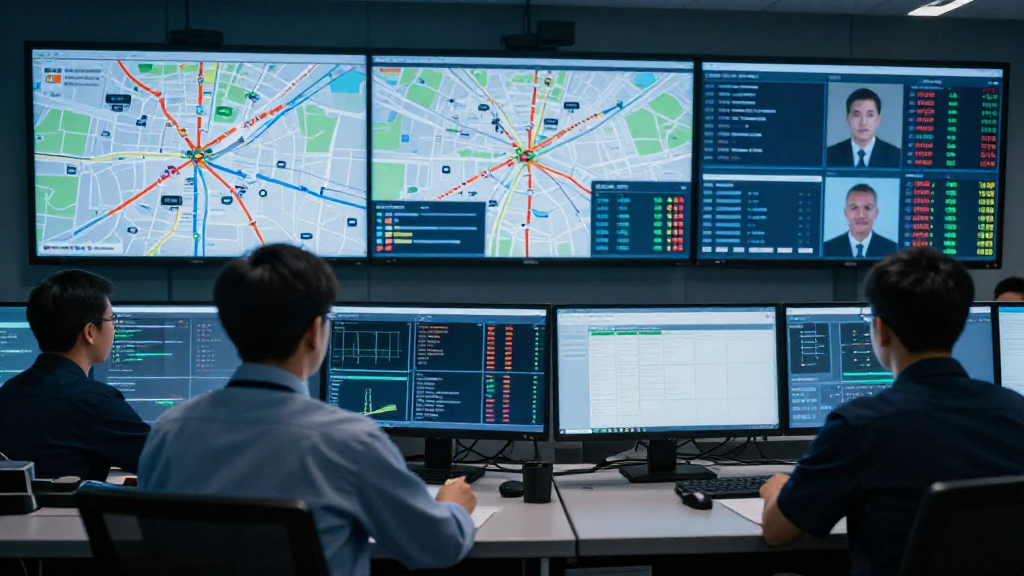
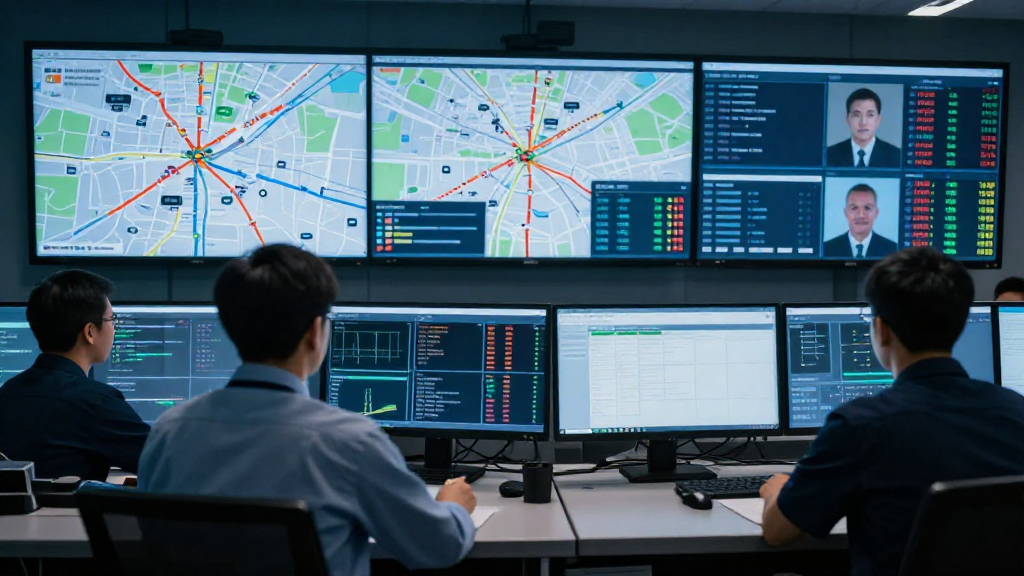
    Dynamic control room with real‑time traffic maps, fuel consumption charts, and driver status feeds{: style=”width:100%; max-width:800px; border-radius:12px; box-shadow:0 8px 30px rgba(0,0,0,0.12);” }




    Common Route Optimization Gaps in Logistics

    The most frequent stumbling blocks that keep fleets from hitting peak performance are subtle, yet costly.

    • Inadequate integration of real‑time traffic data – Without live congestion updates, routes become static and quickly turn inefficient.
    • Lack of driver input in routing decisions – Drivers know road conditions, construction zones, and shortcuts that algorithms may miss.
    • Outdated historical data reliance – Relying solely on past patterns ignores today’s dynamic variables.

    These route optimization challenges create fleet routing inefficiencies that erode profit margins and damage customer satisfaction.

    Why the Gaps Matter

    • Fuel waste – Unnecessary miles increase consumption.
    • Idle time – Vehicles stuck in traffic or waiting for directions add non‑productive hours.
    • Lost revenue – Missed delivery windows trigger penalties and damage brand trust.

    How to Identify and Measure These Gaps

    1. Audit Your Data Sources
    • Verify that your Transportation Management System (TMS) pulls live traffic feeds from reputable providers (e.g., INRIX, TomTom).
    • Ensure driver‑reported incidents are captured in real time.
    1. Benchmark Key Performance Indicators (KPIs)
    • Route deviation rate – Percentage of trips that differ from the planned path.
    • On‑time delivery ratio – Compare scheduled vs. actual arrival times.
    • Fuel efficiency per mile – Track variations before and after implementing dynamic route planning.
    1. Conduct Driver Surveys
    • Ask drivers which routes feel inefficient and why. Their insights often highlight gaps that software alone cannot detect.
    1. Leverage Telemetry and IoT
    • Use GPS and sensor data to spot patterns of congestion, stop‑and‑go traffic, and idle periods that signal missing real‑time data integration.

    Effective Solutions to Close the Gaps

    1. Implement Dynamic Route Planning

    Adopt a platform that continuously recalculates routes based on live traffic, weather, and road‑work alerts. This reduces fleet routing inefficiencies and keeps your drivers on the most efficient path.

    2. Empower Drivers with a Two‑Way Communication Loop

    • Provide a mobile app where drivers can submit real‑time observations (e.g., accidents, detours).
    • Feed this information back into the routing engine to refine future plans.

    3. Integrate Advanced Analytics

    Combine historical performance data with live feeds to predict congestion hotspots before they happen. Machine‑learning models can suggest proactive reroutes, further mitigating route optimization challenges.

    4. Regularly Review and Adjust KPI Targets

    Set quarterly goals for on‑time delivery, fuel consumption, and route deviation. Use the data to fine‑tune your dynamic route planning strategy and celebrate improvements with your team.

    5. Train and Engage Your Workforce

    Hold short workshops on the importance of accurate driver input and how it directly impacts cost savings. A collaborative culture turns every driver into a valuable data source.


    Take the Next Step

    Ready to eliminate costly logistics route optimization gaps and boost your fleet’s efficiency?
    SEO Traffic – Get a free assessment of your current routing strategy today!


  • Event Management: vendor coordination chaos

    Event Management: vendor coordination chaos

    Crushing Event Vendor Coordination Challenges: A Planner’s Blueprint

    Did you know that 73% of event planners report vendor coordination as the top source of post‑event headaches? Those headaches translate into missed deadlines, budget blowouts, and a tarnished reputation. If you’re an event planner or coordinator, you’ve likely felt the sting of last‑minute changes, miscommunications, and the scramble to keep every piece of the puzzle in place. This post is your definitive guide to event vendor coordination challenges—from understanding the chaos to implementing real‑time solutions and standardized onboarding that turn friction into flow.

    A bustling event production floor with multiple vendors coordinating on a stage, vibrant lighting, and a central command center displaying a live schedule on a large screen, all captured from a high‑angle shot to showcase the organized chaos

    Understanding Vendor Coordination Chaos

    Vendor coordination chaos isn’t just a series of missed calls; it’s a systemic failure that ripples through every layer of your event. When vendors—caterers, AV teams, decorators, florists—operate in silos, the entire event ecosystem destabilizes.

    What Does Vendor Coordination Chaos Look Like?

    • Last‑minute scope creep – A decorator requests additional lighting without adjusting the timeline.
    • Conflicting schedules – The AV team’s setup clashes with the catering prep zone.
    • Information silos – Each vendor receives a different version of the event brief.

    These symptoms often go unnoticed until the event day, when they manifest as delays, cost overruns, and dissatisfied stakeholders.

    The Ripple Effect on Your Event’s Success

    A single miscommunication can cascade into:

    • Timeline slippage – causing the keynote speaker to miss their slot.
    • Budget inflation – additional overtime charges for staff.
    • Client disappointment – a polished brand image turns into a chaotic reality.

    The result? A loss of trust that can ripple across future bookings.

    Pro Tip: Create a single source of truth—a shared event hub where all vendors can view and update the master schedule in real time.

    Real‑World Example: The 2023 Corporate Gala

    At a high‑profile corporate gala, the catering team delivered the wrong set of dishes because the menu wasn’t updated in the central system. The AV crew, unaware of the new seating arrangement, set up equipment in the wrong zone. The event ran 45 minutes late, and the client’s keynote speaker was delayed by an hour. The fallout cost the client $12,000 in penalties and damaged the planner’s reputation.

    Key Takeaway: Vendor coordination chaos is a series of misaligned actions that amplify one another. Recognizing early warning signs is the first step toward mitigation.

    Common Causes of Vendor Coordination Issues

    Understanding the root causes of event vendor coordination challenges allows you to build targeted solutions. Below are the most prevalent culprits.

    Misaligned Expectations

    • Scope ambiguity – Vendors interpret the brief differently.
    • Quality benchmarks – What one vendor calls “premium” may be “standard” for another.

    Communication Breakdowns

    • Inconsistent channels – Emails, texts, and phone calls create fragmented information.
    • Delayed responses – Time‑zone differences or unresponsive vendors stall decisions.

    Scheduling Conflicts

    • Overlapping setups – Multiple vendors need the same space at the same time.
    • Unrealistic timelines – Tight windows for complex installations.

    Budget Overruns

    • Hidden fees – Unanticipated costs for extra equipment or overtime.
    • Inaccurate estimates – Vendors underestimate material or labor needs.

    Mini Case Study: Startup Conference

    A tech startup organized a 3‑day conference with 12 vendors. The planner used separate spreadsheets for each vendor, leading to duplicate orders and an extra $8,000 in unnecessary supplies. The lack of a unified platform caused a 30‑minute delay on Day 2, pushing back the keynote and upsetting the audience.

    Key Takeaway: Fragmented information flow, unclear expectations, and inefficient scheduling are the primary drivers of event vendor management headaches.

    Strategies to Overcome Vendor Coordination Challenges

    Now that you know where the cracks are, let’s explore battle‑tested tactics for solving vendor coordination chaos and improving overall event planning vendor coordination.

    Standardized Vendor Onboarding Processes

    A consistent onboarding protocol ensures every vendor starts on the same page.

    • Vendor Brief Template – A single document that outlines scope, timeline, contact hierarchy, and deliverables.
    • Mandatory Kick‑off Meeting – A virtual or in‑person session where all vendors align on expectations.
    • Digital Asset Repository – A shared folder for contracts, floor plans, and brand guidelines.

    Onboarding Checklist

    • [ ] Contract signed and stored in the central repository.
    • [ ] Vendor brief distributed to all stakeholders.
    • [ ] Kick‑off meeting agenda set and recorded.
    • [ ] Confirmation of equipment and delivery timelines.

    Pro Tip: Require vendors to complete a Vendor Readiness Survey before the event; it flags potential gaps early.

    Real‑Time Communication Solutions

    Modern collaboration tools are the backbone of effective event vendor coordination.

    • Slack – Create a dedicated channel for each vendor. Pin important documents and set reminder bots for deadlines.
    • Asana – Build a project board where each vendor has a task card. Assign due dates and attach contracts.
    • Trello – Use a visual Kanban board to move tasks from To‑DoIn‑ProgressDone, giving everyone real‑time visibility.
    • Zoom – Host weekly syncs with all vendors to address blockers and celebrate milestones.

    Additional platforms that streamline real‑time updates:

    • EventMobi – Offers a vendor portal with live updates and a shared calendar.
    • Cvent – Integrates venue, catering, and AV scheduling into a single dashboard.
    • Slack + Google Drive – Combines instant messaging with file sharing for a lightweight, flexible solution.

    Vendor Communication Strategies

    Clear, consistent communication is the glue that holds vendor coordination together.

    • Single Point of Contact (SPOC) – Assign one person per vendor to avoid confusion.
    • Regular Cadence – Weekly check‑ins, daily stand‑ups, and a final pre‑event review.
    • Template Emails – Standardize requests for updates, approvals, and confirmations.

    Sample Communication Cadence

    • Weekly – Progress update (Subject: “Vendor Progress Update – Week 3”)
    • Daily – Quick check (Subject: “Daily Sync – AV Team”)
    • Pre‑Event – Final confirmation (Subject: “Final Confirmation – Event Day”)

    Key Takeaway: Structured communication reduces ambiguity and keeps everyone accountable. Use templates to streamline the process and avoid repetitive drafting.

    Building Long‑Term Relationships

    Vendor coordination isn’t a one‑off task; it’s a relationship that can pay dividends for future events.

    • Feedback Loop – After each event, gather vendor feedback and share your own.
    • Recognition – Highlight outstanding performance in internal newsletters or on social media.
    • Incentives – Offer early payment or volume discounts for repeat collaborations.

    Relationship Map

    • Tier 1 – Preferred Vendors – Highest reliability, lowest cost, most collaboration.
    • Tier 2 – Reliable Vendors – Consistent performance, moderate cost.
    • Tier 3 – New Vendors – Pilot projects, higher monitoring.

    Pro Tip: Create a Vendor Scorecard that evaluates reliability, quality, and communication. Use it to inform future selection.

    Conclusion

    Event vendor coordination challenges are inevitable, but they don’t have to derail your events. By standardizing onboarding, leveraging real‑time tools, enforcing structured communication, and fostering long‑term relationships, you transform chaos into a well‑orchestrated symphony. Remember, the key lies in early alignment and continuous visibility—the foundations of every successful event.

    Download our vendor management checklist to put these strategies into action today and ensure your next event runs smoother than ever.


    Elevate your authority in the industry by mastering vendor communication strategies and showcasing your expertise through flawless event execution.

  • Restaurant: online order management

    Restaurant: online order management

    Restaurant Online Order Management: The Technical Blueprint for Streamlined Success

    In a world where a single missed order can cost a restaurant thousands of dollars in lost revenue and damaged reputation, the stakes have never been higher. 90 % of diners now expect their food to arrive within 30 minutes of ordering, and any delay can push them straight to a competitor. For restaurant owners and managers, restaurant online order management isn’t just a convenience—it’s a critical component of survival and growth.

    Kitchen workflow with digital order display


    Understanding Online Order Management

    What Is Online Order Management?

    Online order management is the digital backbone that captures, routes, and tracks orders from the moment a customer taps “Order” on a website or app to the final delivery confirmation. It ties restaurant order management software to point‑of‑sale (POS) systems, kitchen display units (KDUs), and third‑party delivery platforms, creating a single, cohesive workflow.

    Why It Matters in 2024

    • Speed – Real‑time updates cut order‑processing time by up to 30 %.
    • Accuracy – Automated data entry reduces human errors that cost restaurants an average of $1,200 per month in waste.
    • Scalability – A robust system handles peak periods—think Black Friday or local festivals—without a hitch.

    Common Pain Points for Restaurant Owners

    • Fragmented systems – Multiple apps that don’t communicate.
    • Manual order entry – Time‑consuming, error‑prone processes.
    • Inconsistent inventory tracking – Stockouts or over‑stock leading to waste.
    • Limited analytics – No clear view of sales trends or forecasting.

    “The biggest hurdle is not the technology itself but how seamlessly it integrates across all touchpoints.”

    Pro Tip: Start with a single, cloud‑based platform that offers native POS integration for restaurants and pre‑built connections to your delivery partners. This reduces complexity and speeds up onboarding.


    Top Features of Restaurant Order Management Systems

    Seamless POS Integration for Restaurants

    • POS integration for restaurants ensures every order, sale, and tip is automatically logged in a single ledger.
    • Real‑time updates sync with kitchen displays, eliminating the “ghost order” problem.
    • Case study: A 30‑seat café saw a 25 % reduction in kitchen prep time after linking its POS to an all‑in‑one order system.

    Real‑Time Inventory Sync

    • Automatically tracks ingredient usage per order.
    • Alerts staff when stock dips below predefined thresholds.
    • Result: A pizza joint reduced ingredient waste by 18 % in three months.

    Automated Order Routing to Delivery Platforms

    • Connects with DoorDash, UberEats, Grubhub, and local carriers.
    • Routes orders to the nearest driver, optimizing delivery time.
    • Pro Tip: Enable dynamic routing to switch drivers in real‑time if traffic conditions change.

    Integration with Third‑Party Delivery Services

    • Unified API connects your system to major delivery networks in one click.
    • Real‑time tracking lets customers and staff see order status instantly.
    • Dynamic pricing adjusts delivery fees based on demand, distance, and time of day.
    • Example: A seafood restaurant increased delivery revenue by 35 % after enabling dynamic pricing and real‑time driver assignment.

    Analytics Dashboard for Order Trends & Forecasting

    • Visual charts display daily, weekly, and seasonal sales trends.
    • Heat maps show order density by hour and day.
    • Predictive models forecast high‑volume periods, allowing pre‑stocking.
    • Margin analysis identifies items that yield the highest profit per minute of prep time.
    • Implementation tip: Set quarterly KPI goals and review them with kitchen and front‑of‑house teams.

    Customizable Order Templates

    • Pre‑set menus for lunch, dinner, or special events.
    • Quick‑add options for combo meals or dietary restrictions.
    • Key Takeaway: Custom templates reduce order entry time by 15–20 %, freeing staff to focus on service quality.

    Pro Tip: Use the analytics module to uncover “hidden gems”—high‑margin menu items that are under‑promoted. Adjust your digital menu accordingly.

    Manager reviewing dashboard on tablet


    Benefits of Streamlining Online Orders for Restaurants

    Increased Order Accuracy & Reduced Errors

    • Automated data capture eliminates manual entry mistakes.
    • Real‑time confirmation screens let customers review orders before checkout.
    • Statistic: Restaurants that adopt integrated systems report a 40 % drop in order errors.

    Faster Service & Higher Table Turnover

    • Orders move instantly from customer to kitchen.
    • Reduced wait times lead to higher table turnover during peak hours.
    • Result: A 20‑seat bistro increased daily revenue by 12 % after cutting average service time from 12 to 8 minutes.

    Data‑Driven Decision Making

    • Analytics reveal best‑selling items, peak times, and customer preferences.
    • Enables targeted promotions and menu engineering.
    • Pro Tip: Set up automated weekly reports that highlight declining‑sales items and adjust marketing strategies accordingly.

    Scalable Growth & Multi‑Channel Presence

    • One system supports dine‑in, takeout, and delivery across multiple platforms.
    • Easy to add new locations or expand to new cities without overhauling infrastructure.
    • Case study: A regional chain scaled from 3 to 15 locations in 18 months thanks to a unified online order platform.

    Improved Customer Satisfaction & Loyalty

    • Faster, accurate orders translate to happier diners.
    • Loyalty programs can be integrated directly into the order flow.
    • Statistic: Restaurants with integrated loyalty programs see a 20 % increase in repeat orders.

    Analytics chart on tablet


    Conclusion: Transform Your Restaurant Today

    By adopting a sophisticated restaurant online order management solution, you can eliminate manual bottlenecks, harness actionable data, and deliver a consistently excellent dining experience—both on‑site and at the door.

    Ready to future‑proof your operation?
    Explore our industry‑leading restaurant order management software and see how seamless POS integration for restaurants, third‑party delivery connectivity, and advanced analytics can accelerate growth.


    Authority Building CTA:
    Download our free technical guide “Mastering Restaurant Online Order Management” to benchmark your current system, discover best‑practice configurations, and start streamlining online orders today.

  • Event Management: budget allocation planning

    Event Management: budget allocation planning

    Mastering Event Budget Planning: Practical Tips for Efficient Budget Allocation

    Ever heard that 70% of event budgets slip past the planned line item? That’s a staggering waste of time, money, and reputation. If you’re an event planner or coordinator, mastering event budget planning isn’t just a nice‑to‑have—it’s a survival skill. In this guide we’ll share solid event budgeting tips, explain why precise event budget allocation matters, and walk you through a step‑by‑step playbook that turns budgeting from a headache into a competitive advantage.

    Event planner working on a spreadsheet in a café

    Why Budget Allocation Matters in Event Management

    A well‑structured budget is the backbone of any successful event. It ensures every dollar is accounted for, reduces risk, and aligns the team around shared financial goals. When event budget allocation goes wrong, even a spectacular concept can collapse under unforeseen expenses.

    • Cash Flow Control – Knowing where money is going helps prevent late‑stage cash crunches that can derail vendor agreements or force last‑minute compromises.
    • Stakeholder Confidence – Transparent budgets build trust with sponsors, partners, and internal stakeholders, making it easier to secure approvals and additional funding.
    • Performance Measurement – Allocated funds enable accurate ROI calculations, helping you prove value and refine future events.

    Pro Tip: Start every event with a “budget health check” meeting—invite finance, operations, and creative leads to align on priorities before the first dollar is spent.

    Key Takeaway

    A disciplined budget allocation strategy turns financial uncertainty into a strategic asset, empowering you to deliver memorable experiences without sacrificing profitability.

    Team reviewing a wall‑mounted spreadsheet

    Key Factors to Consider When Allocating Your Event Budget

    Effective allocation hinges on understanding both macro and micro elements that influence cost. Below are the critical levers you’ll need to pull.

    Define Event Goals

    • Scope & Scale – Are you hosting a 200‑guest gala or a global virtual summit? The scale dictates venue, technology, and staffing needs.
    • Desired Experience – Luxury branding, interactive workshops, or networking lounges each command different budget proportions.

    Understand Fixed vs. Variable Costs

    • Fixed – Venue rental, catering contracts, and main‑stage equipment often lock in early.
    • Variable – Décor, swag, and last‑minute tech upgrades can fluctuate, so reserve a flexible pool.

    Prioritize Experience

    Allocate the highest percentage to elements that directly impact attendee satisfaction: immersive tech, high‑quality catering, and engaging entertainment. A 10 % increase in experience budget can boost satisfaction scores by up to 15 %.

    Vendor Negotiations

    • Bundle Deals – Combining catering, AV, and décor can yield up to 12 % savings.
    • Early Commitments – Locking vendors early often secures better rates and ensures availability.

    Contingency Planning

    Set aside a dedicated contingency fund—industry best practice recommends 10–15 % of the total budget for unforeseen costs. This cushion protects you against weather disruptions, tech failures, or last‑minute speaker changes.

    ROI Metrics

    Track metrics like cost per attendee, sponsorship ROI, and post‑event engagement. These data points inform future budget adjustments and justify expenditures to stakeholders.

    Common Mistakes in Event Budgeting

    • Underestimating Overhead – Forgetting travel, accommodation, and per‑diem expenses can inflate costs by 20 %.
    • Neglecting Vendor Flexibility – Rigid contracts limit your ability to adapt to last‑minute changes.
    • Skipping the Contingency – Without a buffer, even a small hiccup can derail the entire financial plan.
    • Ignoring Post‑Event Costs – Cleanup, thank‑you gifts, and data analysis often slip under budget.

    Pro Tip: Use a “budget buffer” worksheet that flags any line item exceeding 5 % of its estimated cost, prompting an immediate review.

    Cluttered desk with receipts and calculator

    How to Adjust Budget for Unexpected Costs

    • Real‑time Tracking – Implement a cloud‑based budgeting tool that updates instantly, allowing on‑the‑fly reallocations.
    • Scenario Planning – Create “worst‑case” scenarios during planning and pre‑allocate funds accordingly.
    • Vendor Flexibility Clauses – Include clauses that allow cost adjustments for unforeseen circumstances, protecting both parties.
    • Regular Check‑Ins – Schedule bi‑weekly budget reviews to catch deviations early and reallocate funds before they spiral.

    Conference hall with “Contingency Fund” sign

    Step‑by‑Step Guide to Efficient Event Budget Planning

    Follow this structured roadmap to transform chaotic spreadsheets into a crystal‑clear financial blueprint.

    1. Set Clear Objectives – Define what success looks like (attendance numbers, brand exposure, lead generation) and translate those goals into measurable budget items.
    2. Draft Preliminary Budget – Create a high‑level template, filling in known costs and estimating unknowns with conservative figures. Use industry benchmarks as your event budgeting tips reference.
    3. Allocate Funds by Category – Break the budget into core categories: venue, catering, technology, décor, talent, marketing, staffing, and contingency. This is the core of how to allocate event budget effectively.
    4. Reserve a Contingency Pool – Dedicate 10–15 % of the total budget to a separate contingency line item to avoid accidental reallocation.
    5. Negotiate and Lock Contracts – Secure vendor agreements early, leveraging your consolidated spend to negotiate better rates and flexible payment terms.
    6. Monitor and Adjust – Use a real‑time dashboard to track expenditures against budgeted amounts. Set alerts when any category exceeds its threshold.
    7. Review and Learn – After the event, conduct a financial debrief: compare actual spend to projections, identify variances, and document lessons for the next event.

    Key Takeaway

    A disciplined, iterative budgeting process not only keeps costs in check but also provides actionable insights that refine future events.

    Planner celebrating final numbers on a whiteboard

    Conclusion

    Mastering event budget planning is about more than crunching numbers—it’s about strategically allocating resources to create unforgettable experiences while safeguarding your financial health. By understanding the pivotal factors that influence cost, avoiding common pitfalls, and following a proven step‑by‑step framework, you’ll turn budgeting from a dreaded chore into a strategic advantage.

    Download our free event budget template or sign up for a consultation to get personalized guidance and take the first step toward budgeting mastery. Let’s build events that wow, deliver ROI, and stay within budget—every single time.