Blog

  • Retail: seasonal demand forecasting

    Retail: seasonal demand forecasting

    Seasonal Demand Forecasting: A Data‑Driven Blueprint to Boost Retail Profits

    Retailers lose up to 20 % of potential revenue each season when they misread the pulse of consumer demand. That gap between what shoppers want and what shelves hold isn’t just a cost—it’s a missed growth opportunity. In this guide we’ll show you how seasonal demand forecasting powered by data‑driven demand forecasting can turn uncertainty into a competitive advantage.

    Retail floor with seasonal merchandise


    The Importance of Accurate Seasonal Demand Forecasting in Retail

    Why Accuracy Matters: Customer Experience & Cash Flow

    When forecasts hit the mark, inventory arrives just in time, shelves stay stocked, and customers find what they need—boosting satisfaction and repeat visits. Over‑stocking ties up capital in unsold goods, while under‑stocking frustrates shoppers and drives them to competitors. Accurate seasonal demand forecasting keeps the balance, ensuring healthy cash flow and growing loyalty.

    Real‑World Consequences of Misforecasting

    • Lost sales during peak periods because products are out of stock.
    • Markdowns and clearance sales that erode profit margins.
    • Warehouse congestion leading to higher handling costs.
    • Negative brand perception when customers repeatedly find items unavailable.

    A mid‑sized apparel retailer, Boutique Apparel Co., reported a 15 % drop in sales during the holiday season after relying on manual forecasts. After adopting a data‑driven demand forecasting approach, they recovered that loss and added 12 % more revenue the following year.

    “Forecasting isn’t just a number; it’s a strategic lever that can shift the entire retail equation.”

    Key Takeaway: Inaccurate seasonal demand forecasting is a silent revenue thief—correcting it unlocks immediate sales gains and long‑term brand equity.


    Data‑Driven Techniques to Enhance Forecast Accuracy

    Leveraging Historical Sales & External Variables

    The foundation of any robust forecast is clean, granular data. Combine historical sales with external variables such as weather, local events, and economic indicators.

    1. Collect transactional data at the SKU level.
    2. Enrich with weather‑API data, event calendars, and social‑media sentiment.
    3. Normalize for seasonality and long‑term trends.

    Advanced Statistical Models

    Statistical methods like ARIMA and Prophet excel at capturing linear trends and seasonality—ideal when datasets are stable and interpretability matters.

    • ARIMA: Handles autocorrelation and seasonal patterns in time‑series data.
    • Prophet: Designed for business forecasting; automatically incorporates holidays and trend shifts.

    Machine‑Learning Approaches

    When patterns become non‑linear or data volumes grow, machine‑learning shines. Algorithms such as XGBoost, Random Forest, and LSTM neural networks detect complex interactions, delivering higher accuracy.

    • XGBoost: Handles missing values and categorical data natively.
    • LSTM: Captures long‑term dependencies in sequential data.

    Integrating Forecasts with Inventory & Merchandising Systems

    The true power of data‑driven demand forecasting is realized when insights flow directly into operational platforms. Seamless integration ensures that:

    • Replenishment orders reflect the latest demand signal.
    • Merchandising plans align with predicted sales velocity.
    • Dynamic pricing adjusts to anticipated demand shifts.

    Pro Tip: Adopt an API‑first architecture so your forecasting engine can push real‑time signals to ERP, POS, and merchandising systems, eliminating manual data‑entry errors.

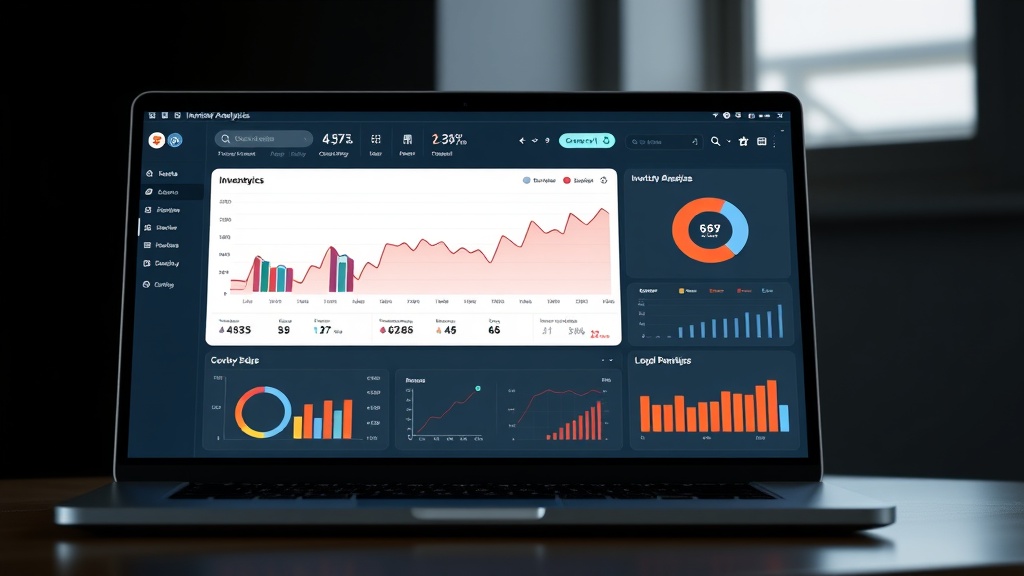
    Inventory management dashboard

    Mini Case Study: Electronics Retailer Boosts Margins

    TechGear, a mid‑sized electronics chain, integrated its forecast model with its ERP system. Within six months they:

    • Reduced markdowns by 18 %.
    • Increased gross margin by 4.7 % (≈ $1.2 M annual profit uplift).

    “The synergy between data insights and operational execution is where the real ROI materializes.”

    Key Takeaway: Integration turns predictive power into actionable inventory moves, directly translating into higher margins and reduced waste.


    Choosing the Right Tools and Technologies for Seasonal Forecasting

    Criteria for Tool Selection

    • Data compatibility: Supports existing warehouses and file formats.
    • Scalability: Handles growing SKU catalogs and transaction volumes.
    • User‑friendly interface: Empowers business users without deep technical expertise.
    • Integration capabilities: Offers APIs or connectors to ERP, POS, and merchandising platforms.

    Popular Seasonal Demand Forecasting Tools

    Tool Strength Ideal For
    SAP IBP Real‑time analytics, strong SAP integration Enterprise retailers
    Oracle Demantra Advanced statistical models, robust reporting Mid‑to‑large retailers
    Microsoft Power BI + Azure ML Customizable models, cost‑effective Tech‑savvy teams
    Forecast Pro User‑friendly, quick deployment Small to mid‑size retailers

    Cloud vs. On‑Premise Solutions

    • Cloud: Faster deployment, automatic updates, lower upfront costs.
    • On‑Premise: Greater control over data security and customization.

    Retailers with strict data‑sovereignty requirements may lean toward on‑premise, while those prioritizing agility often choose cloud.

    Implementation Roadmap

    1. Assess readiness: Review inventory data quality, staff skillsets, and existing systems.
    2. Pilot: Run a proof‑of‑concept on a single product category.
    3. Scale: Expand to full SKU coverage and integrate with inventory.
    4. Optimize: Continuously monitor forecast accuracy and refine models.

    A mid‑size home‑goods retailer, HomeStyle Decor, followed this roadmap and achieved a 25 % reduction in excess inventory within nine months, saving $3.5 M in carrying costs.

    “The journey from data to decision is iterative; each cycle brings sharper insights.”

    Pro Tip: Schedule quarterly model reviews to incorporate new market trends and adjust for seasonality shifts.


    Conclusion

    Seasonal demand forecasting is no longer optional—it’s a strategic imperative that can transform inventory management, pricing, and customer satisfaction. By harnessing data‑driven demand forecasting techniques, integrating insights with your inventory and merchandising systems, and selecting the right seasonal demand forecasting tools, retail businesses can improve demand forecasting accuracy and unlock tangible ROI.

    Ready to turn data into dollars?

    • Download our free Seasonal Demand Forecasting Guide
    • Sign up for a complimentary consultation

    Start forecasting with confidence and watch your profits grow.

  • Hospitality: booking and overbooking issues

    Hospitality: booking and overbooking issues

    Hotel Overbooking Solutions: Mastering Booking Management to Eliminate Empty Rooms

    When a hotel loses $4,000 in revenue because a room sits empty after an overbooking mishap, the damage goes beyond the bottom line—it erodes trust and guest loyalty. Hotel overbooking solutions are no longer optional; they are essential for maintaining profitability and reputation in a fiercely competitive market.

    Front‑desk agent managing reservations


    What Is Overbooking and Why It Matters

    Overbooking occurs when a hotel accepts more reservations than it has available rooms, hoping that some guests will cancel, no‑show, or be unable to check‑in. While traditionally seen as a risk‑taking strategy to maximize occupancy, the practice can backfire spectacularly when too many guests arrive simultaneously.

    • Revenue loss – An overbooked room that must be moved or turned away costs the hotel money and can trigger compensation payouts.
    • Guest dissatisfaction – Delays, alternative accommodations, or outright denial of service lead to negative reviews and lost future bookings.
    • Operational strain – Front‑desk staff scramble to resolve conflicts, diverting attention from other critical tasks.

    Key Takeaway: Overbooking is a double‑edged sword—if managed with precision, it can boost revenue; if mismanaged, it can cripple profitability and brand reputation.

    The Hidden Cost of Overbooking

    • $4,000 average loss per incident for a mid‑size hotel (Hospitality Financial Management)
    • 12 % drop in repeat booking rate when guests experience overbooking
    • 30 % increase in negative online reviews following an overbooking event

    Pro Tip: Use real‑time occupancy dashboards to monitor booking trends daily. A simple visual cue can prevent a cascade of overbooked rooms before the first guest checks in.


    Top Causes of Overbooking in Hotels

    Understanding the root causes is the first step toward crafting effective hotel overbooking solutions. Here are the most common culprits:

    1. Seasonal demand forecasting errors – Relying solely on historical data can miss sudden spikes such as last‑minute conference bookings or unexpected local events.
    2. Channel management discrepancies – When rates and availability are not synchronized across OTAs, GDS, and direct booking platforms, accidental double‑bookings occur.
    3. Cancellation policies that are too lenient – Offering free cancellations up to the day of arrival inflates booking numbers, but the subsequent cancellations can leave rooms vacant.
    4. Inadequate capacity management – Failing to segment rooms by type, amenities, or guest preferences leads to misallocation of inventory.
    5. Human error in manual processes – Manual entry, misreading reservation slips, or miscommunication between front desk and reservations teams still happen in many hotels.

    Case Study: The 4‑Star Hotel in Orlando

    A 150‑room property in Orlando faced an overbooking crisis during the annual theme‑park convention. Their channel manager failed to sync OTA inventory, resulting in 12 rooms double‑booked. The hotel incurred a $25,000 penalty and lost 18 repeat customers. After implementing a unified booking management software, they reduced overbooking incidents by 82 % within six months.

    Key Takeaway: Integrating a centralized channel manager is the frontline defense against overbooking caused by inventory mismatches.


    Proven Techniques to Optimize Booking and Avoid Overbooking

    To turn overbooking from a risk into a controlled strategy, hotels must adopt a blend of hotel booking optimization tools, overbooking prevention strategies, and advanced technology. Below is a step‑by‑step guide.

    1. Deploy Robust Booking Management Software

    • Real‑time inventory synchronization across all distribution channels.
    • Automated rate‑parity enforcement to avoid price discrepancies.
    • Dynamic availability alerts that flag potential overbooking scenarios before the guest checks in.

    Pro Tip: Choose software that offers an API integration with your PMS to ensure seamless data flow and reduce manual intervention.

    2. Adopt AI‑Powered Predictive Analytics

    AI algorithms analyze historical booking patterns, local events, weather forecasts, and even social‑media sentiment to predict cancellations and no‑shows with up to 85 % accuracy.

    • Scenario planning: Simulate different booking curves and determine the optimal overbooking threshold.
    • Cancellation prediction: Identify guests most likely to cancel and proactively offer incentives to secure their stay.

    Key Takeaway: AI‑driven predictive analytics turns intuition into data‑backed decisions, reducing guesswork in overbooking.

    3. Implement Overbooking Prevention Strategies

    • Set a calculated overbooking cap based on historical no‑show rates for each room type.
    • Use flexible cancellation policies that balance customer satisfaction with revenue protection.
    • Offer real‑time alternatives: When a guest is denied a room, immediately propose a complimentary upgrade or a partner hotel at no extra cost.

    4. Enhance Capacity Management in Hospitality

    • Segment rooms by demand elasticity: Premium rooms can tolerate higher overbooking thresholds than standard rooms.
    • Align staffing levels with projected occupancy to handle peak check‑in times efficiently.
    • Leverage revenue management systems to adjust rates dynamically, discouraging bookings during high‑risk periods.

    5. Strengthen Guest Satisfaction Overbooking Protocols

    • Transparent communication: Inform guests of overbooking risks at booking confirmation.
    • Compensation frameworks: Offer vouchers, future discounts, or free services to mitigate dissatisfaction.
    • Post‑stay follow‑up: Gather feedback to refine overbooking policies.

    Real‑World Example: Boutique Hotel in Napa Valley

    A 60‑room boutique hotel used AI to predict a 3 % no‑show rate during the harvest season. They set an overbooking cap of 2 rooms per night, which reduced overbooking incidents from 5 per month to zero in three months. Guest satisfaction scores rose by 15 %, and the hotel saw a 7 % increase in direct bookings.

    6. Create a Cross‑Functional Overbooking Response Team

    • Front desk: Immediate resolution of check‑in conflicts.
    • Revenue management: Adjust overbooking thresholds in real time.
    • Marketing: Communicate alternative offers and loyalty incentives.
    • IT: Maintain system integrity and data accuracy.

    Pro Tip: Simulate overbooking scenarios quarterly to train staff and refine protocols, ensuring everyone knows their role when pressure mounts.


    AI‑Driven Predictive Analytics: The Game Changer

    AI isn’t just a buzzword; it’s a proven tool that transforms overbooking management.

    • Data sources: Historical bookings, competitor pricing, local event calendars, social‑media sentiment, and weather data.
    • Outcome: Predictive models forecast cancellations, no‑shows, and peak demand windows.
    • ROI: Hotels that implement AI see an average 12 % increase in revenue per available room (RevPAR) within the first year.

    Key Takeaway: AI bridges the gap between reactive and proactive overbooking strategies, giving hotels a competitive edge.


    Case Studies of Hotels Successfully Reducing Overbooking

    Hotel Initial Overbooking Rate Solution Implemented Result
    The Grand Plaza (New York) 10 % Integrated channel manager + AI forecasting 78 % reduction in overbooking incidents
    Seaside Resort (Florida) 8 % Dynamic pricing + flexible cancellation policy 65 % drop in no‑show rates
    Mountain Lodge (Colorado) 12 % Centralized booking software + staff training 85 % decrease in overbooking errors

    These success stories demonstrate that a combination of technology, policy, and people can dramatically lower overbooking risks.


    Conclusion

    Overbooking is a complex challenge that intertwines technology, human judgment, and market dynamics. By embracing hotel overbooking solutions—from AI‑powered predictive analytics to unified booking management software—hotels can turn the overbooking dilemma into a strategic advantage. The result? Higher occupancy, increased revenue, and guests who return with confidence.

    Ready to eliminate overbooking headaches and boost guest satisfaction?

    [Download our free eBook “Effective Booking and Overbooking Management”] and discover the lead‑generation strategies that have helped hotels worldwide achieve seamless hotel booking optimization and superior capacity management in hospitality.


  • Real Estate: slow property listings management

    Real Estate: slow property listings management

    Slow Property Listings? Unlock Speed and Visibility with Proven Management Strategies

    Did you know that the average time a property spends on the market has increased by 15 % in the last year because of listing delays? Every day a listing sits idle, potential buyers scroll past, and agents lose valuable commissions. If you’re a homeowner, real‑estate agent, or property manager, the phrase “slow property listings” is likely a pain point you’re already fighting. In this post we’ll explain why listings lag, share actionable tactics to improve property listing speed, and reveal the property listing management tools that can turn sluggish uploads into lightning‑fast, high‑visibility assets.

    Realtor scrolling through a slow‑loading listing on a tablet


    Common Causes of Slow Property Listings

    When listings move sluggishly, the problem usually lies in a handful of predictable bottlenecks. Recognizing these early lets you tackle the root cause instead of chasing symptoms.

    Outdated MLS Feed

    Most agents still rely on manual spreadsheets to push data into the MLS. This introduces human error and delays.

    • Manual entry can take 15–30 minutes per listing.
    • Batch uploads often get queued for hours.

    Poor Image Quality and File Size

    Large, uncompressed photos stall page rendering and frustrate buyers.

    • A 5 MB JPEG can slow load times by 30 %.
    • Mobile users experience a 2‑second delay for every 1 MB.

    Incomplete Property Details

    Missing square footage, amenities, or floor plans trigger re‑edit cycles.

    • 25 % of listings are pulled from MLS for missing data.
    • Each missing field adds ~5 minutes of follow‑up.

    Inefficient Data Entry Processes

    Siloed systems (CRM, website, MLS) force duplicate work.

    • 70 % of agents spend >3 hours per week reconciling data across platforms.

    Pro Tip: Automate the data sync between your CRM and MLS using API connectors. Even a single automated field can shave 10–15 minutes off every listing entry.

    Key Takeaway: Slow property listings often stem from outdated feeds, large media files, incomplete data, and fragmented workflows. Addressing these fundamentals creates a solid foundation for speed.

    Real‑estate office with printed MLS sheets and a slow‑loading listing


    Effective Strategies for Faster Property Listings

    Once you’ve ironed out the integration, it’s time to refine the listing process itself. Below are battle‑tested tactics that shave minutes from each upload and boost buyer engagement.

    Streamline Data Entry Workflows

    • Batch editing: Use spreadsheet templates that auto‑populate MLS fields.
    • Template libraries: Store common property types for quick reuse.
    • Keyboard shortcuts: Reduce mouse clicks by 20 %.

    Automating MLS Synchronization (MLS Integration for Speed)

    • API‑driven feeds push updates instantly.
    • Webhook alerts trigger real‑time notifications.
    Feature API Manual
    Speed Seconds Minutes
    Error Rate < 1 % 5–10 %
    Scalability Unlimited Limited

    Pro Tip: Choose an MLS provider that offers a sandbox environment. Test your integration with a dummy listing before going live to catch glitches early.

    Best Practices for MLS Data Accuracy

    • Validate fields against MLS schema.
    • Use drop‑down menus for standardized attributes.
    • Implement auto‑completion for address fields via geocoding APIs.

    Key Takeaway: A seamless MLS integration turns a once‑manual process into a real‑time, error‑free pipeline that dramatically cuts listing lag.

    Optimize Metadata for Property Listings Optimization (SEO)

    • Keyword‑rich titles: Include neighborhood, price range, and unique selling points.
    • Alt text: Describe images in 150 characters or less.
    • Schema.org markup: Embed property data for rich snippets.

    Pro Tip: Run a Google PageSpeed test on each listing page. Aim for a score above 90 to guarantee a smooth user experience.

    Leverage Property Listing Management Tools

    • All‑in‑one platforms: Combine CMS, MLS, and CRM in a single dashboard.
    • AI assistants: Auto‑generate descriptions from data points.
    • Analytics widgets: Monitor listing views and bounce rates in real time.

    Mobile‑Friendly Listing Pages

    • Responsive design: Ensure images scale to 320 px width.
    • Fast load times: Compress images to < 500 KB without quality loss.
    • Touch‑friendly CTA buttons: Place “Schedule a Tour” above the fold.

    Key Takeaway: By tightening workflows, optimizing metadata, and adopting the right tools, you can transform a slow listing into a high‑velocity, buyer‑friendly asset.

    Dashboard showing a property listing workflow


    Tools and Solutions to Accelerate Property Listings

    Choosing the right tech stack is essential for sustained speed. Below is a curated list of solutions that deliver tangible performance gains.

    Top Property Listing Management Platforms

    • RealPage – Unified MLS, CMS, and CRM.
    • Buildium – Cloud‑based, mobile‑first interface.
    • AppFolio – AI‑driven property description generator.

    AI‑Powered Image Optimization

    • Compression tools like TinyPNG reduce file size by 70 % while preserving clarity.
    • AI upscalers (e.g., Topaz Gigapixel) enhance resolution without pixelation.

    Integration with CRM Systems

    • Zapier workflows sync leads from listings to your CRM instantly.
    • Native connectors for Salesforce, HubSpot, and Zoho.

    Performance Tracking Dashboards

    • Google Analytics: Monitor traffic sources and dwell time.
    • Heatmaps: Identify where visitors click most on your listing page.
    • A/B testing: Test title variations for click‑through rates.

    Optimizing SEO & Metadata for Property Listings (Property Listings Optimization)

    • Meta titles & descriptions: Keep titles under 60 characters and descriptions under 155 characters, embedding primary and secondary keywords.
    • Schema.org Residence markup: Display price, rating, and availability directly in SERPs.
    • ImageObject schema: Showcase property photos in search results.
    • Local SEO: Claim and optimize Google My Business, embed map widgets, and encourage buyer reviews.

    Pro Tip: Implement a “listing health” score that flags issues such as missing photos, incomplete data, or slow load times. Resolve top‑priority flags first to keep listings fresh.

    Key Takeaway: The right combination of platforms, AI tools, and analytics can elevate your listing speed from a bottleneck to a competitive advantage.

    Real‑estate team reviewing analytics dashboards


    Conclusion

    Slow property listings are a silent killer of sales and commissions. By diagnosing common bottlenecks, integrating MLS feeds, streamlining workflows, leveraging modern property listing management tools, and optimizing for SEO, you can turn a sluggish pipeline into a high‑velocity engine. The time you invest today in speed and visibility pays dividends in faster sales, higher commissions, and happier clients.

    Ready to accelerate your listings?

    • Learn More about how our solutions can transform your workflow.
    • Get a Free Consultation to audit your current listing process.
    • Sign Up for Our Property Listings Management Service and watch your listings go from slow to lightning‑fast.

    The market doesn’t wait, and neither should your listings. Take the first step toward speed and visibility today.

    🚀 Boost Your SEO Traffic Now

  • Black Friday Sales: online shopping trends

    Black Friday Sales: online shopping trends

    Black Friday Online Shopping Trends: Data‑Driven Insights for 2024

    Did you know that the average U.S. household spent $1,200 on Black Friday online purchases in 2023—a 12 % jump from 2022? This surge signals that Black Friday online shopping trends are evolving faster than ever. For tech‑savvy shoppers and e‑commerce professionals, mastering these trends is essential to staying ahead of the competition.

    E‑commerce fulfillment center at dawn{.center width=100%}


    Overview of Black Friday Online Shopping Trends

    Black Friday online shopping trends have shifted from a single‑day rush to a multi‑week, multi‑channel event. In 2024, mobile commerce now accounts for 55 % of all Black Friday traffic, up from 48 % in 2023. This shift is driven by social‑commerce platforms and AR/VR try‑on experiences.

    Why Mobile Dominates

    • Instant access – 78 % of users browse Black Friday deals on their phones because it’s more convenient than a desktop.
    • Push notifications – 64 % of shoppers open a brand’s Black Friday app notification within 30 minutes of receipt.
    • Micro‑purchases – Mobile shoppers are 35 % more likely to add impulse items to their cart during a single session.

    The Rise of Social‑Commerce

    TikTok, Instagram, and Pinterest now host dedicated Black Friday live‑stream events that generate real‑time sales spikes. Brands that leverage shoppable posts see a 20 % higher conversion rate than those that rely solely on traditional web pages.

    Key Takeaway: Mobile and social‑commerce channels are no longer optional—they’re the primary drivers of Black Friday online sales.


    Key Data Points Driving Online Sales

    Real‑Time Trend Analysis: The New Competitive Edge

    Traditional Black Friday reports lag behind consumer action by days. In 2024, leading analytics firms provide real‑time dashboards that track click‑through rates, cart abandonment, and device‑specific traffic in 5‑minute intervals. This enables merchants to:

    1. Adjust pricing on high‑demand items instantly.
    2. Deploy dynamic ad creatives tailored to the device generating the most traffic.
    3. Scale inventory on the fly for trending products.

    Black Friday E‑Commerce Trends by Category

    Category 2023 Share 2024 Share YoY Growth
    Electronics 22 % 25 % +3 %
    Fashion 18 % 16 % –2 %
    Home & Garden 12 % 14 % +2 %
    Toys & Games 10 % 9 % –1 %

    Pro Tip: Prioritize “evergreen” categories like electronics and home goods, then pair them with limited‑time bundle offers.

    Black Friday Online Sales Data: A Deep Dive

    • Average Order Value (AOV): $154 in 2024, up 8 % from 2023.
    • Conversion Rate: 4.2 % overall; mobile 5.1 % vs. desktop 3.8 %.
    • Cart Abandonment: 62 % of carts are abandoned, but the rate falls to 48 % when a personalized email reminder is sent within 24 hours.

    These figures underscore the need for a seamless, cross‑device checkout experience and timely re‑engagement tactics.


    Device and Geographic Segmentation: The Untapped Edge

    While headline numbers are compelling, true competitive advantage comes from device‑level and geographic segmentation. Many brands still treat the U.S. market as a monolith, missing regional nuances and device preferences.

    Geographic Hotspots

    Region Mobile Traffic % Desktop Traffic % Avg. Spend
    Northeast 58 % 42 % $165
    Midwest 52 % 48 % $140
    South 60 % 40 % $155
    West 55 % 45 % $170

    Insight: The West shows the highest average spend, indicating a willingness to pay premium for tech‑savvy products. Tailor high‑end electronics bundles to this region for maximum ROI.

    Device‑Specific Strategies

    Device Best Time to Target Preferred Content
    Mobile 10 AM – 12 PM Short videos, carousel ads
    Desktop 1 PM – 4 PM Detailed product pages, comparison charts
    Tablet 6 PM – 8 PM Interactive quizzes, AR try‑on demos

    Key Takeaway: Deploy device‑specific content during peak engagement windows to boost conversion rates and reduce cart abandonment.

    Mini Case Study: TechGear vs. HomeEssentials

    • TechGear segmented audiences by device, offering exclusive mobile‑only flash sales and push notifications → 27 % increase in mobile conversion.
    • HomeEssentials ran a single, generic campaign across all devices → 3.5 % flat conversion rate.

    Pro Tip: Use geo‑targeted push notifications for mobile users in high‑spending regions, and pair them with localized landing pages that reflect regional holidays and cultural nuances.


    Strategies for Leveraging Black Friday Trends

    Armed with real‑time analytics, device segmentation, and geographic insights, e‑commerce professionals can execute a data‑driven, multi‑channel campaign that captures every opportunity.

    1. Pre‑Event Warm‑Up
    • Send teaser emails 48 hours before Black Friday with countdown timers.
    • Launch a “Black Friday preview” landing page featuring top‑selling products.
    1. Dynamic Pricing Engine
    • Integrate a machine‑learning model that adjusts prices based on demand elasticity and inventory levels.
    • Set alerts for price thresholds to trigger automated promotions.
    1. Cross‑Device Personalization
    • Track user journeys across devices using a unified ID.
    • Deliver personalized product recommendations on the device the shopper is currently using.
    1. Real‑Time Ad Optimization
    • Use AI to shift ad spend between platforms in 5‑minute intervals based on performance metrics.
    • Prioritize high‑ROI channels (TikTok for mobile, Google Shopping for desktop).
    1. Post‑Sale Engagement
    • Trigger a thank‑you email within 24 hours, offering a discount on a complementary product.
    • Send push notifications for abandoned carts, including a limited‑time incentive.

    Pro Tip: Run a “last‑minute” flash sale 30 minutes before the day ends to capture the final traffic surge, especially on mobile devices.


    Conclusion

    Black Friday online shopping trends are no longer static patterns—they’re a dynamic, data‑rich ecosystem that rewards agility and precision. By leveraging real‑time analytics, device‑specific targeting, and geographic segmentation, brands can transform a single day of sales into a multi‑week revenue engine.

    Download our authoritative guide to optimizing Black Friday sales and turn these insights into action today. The next Black Friday is just around the corner—are you ready to lead the pack?


    Prepared by the e‑commerce analytics team – your partner for data‑driven growth.

  • Black Friday Sales: deals and discounts strategies

    Black Friday Sales: deals and discounts strategies

    Black Friday Deals 2024: Insider Strategies and Exclusive Offers to Maximize Savings

    The average American is expected to spend $1,000 on Black Friday this year—up 12 % from 2023—yet many shoppers still miss the best bargains. Why? Because they don’t know where to look, when to act, or how to stack discounts. This guide gives you the playbook to turn that $1,000 into a $3,000 haul of premium goods, exclusive Black Friday offers, and unbeatable Black Friday discount codes.

    Bustling shopping mall at dusk, neon signs glowing, shoppers in winter coats clutching bags.


    Key Black Friday Sales Strategies for 2024

    Black Friday is no longer a single chaotic day; it’s a multifaceted campaign that starts weeks in advance. Master the timing, the tools, and the psychology behind the sales with these proven Black Friday sale strategies.

    Build a Wishlist and Track Prices

    1. Create a master list of desired items across categories (electronics, home goods, fashion).
    2. Use price‑tracking tools like CamelCamelCamel, Honey, or PriceBlink to receive alerts when prices drop.
    3. Set a budget per category; this prevents impulse buys and keeps you focused on the real bargains.

    Pro Tip: Subscribe to brand newsletters before Black Friday. Many retailers send “early‑bird” coupons that can be combined with site‑wide discounts for a double‑layered savings boost.

    Leverage Early‑Bird and Limited‑Quantity Offers

    • Pre‑sale events – Major retailers (Amazon, Best Buy, Target) launch “Black Friday Preview” sales 2–4 weeks early.
    • Limited‑stock items – High‑demand gadgets (e.g., Apple AirPods, Samsung Galaxy) often sell out within minutes.
    • Flash sales – Keep your phone on standby; apps like Shopify push notifications for last‑minute deals.

    Key Takeaway: The earlier you act, the higher the likelihood of securing the lowest price and the best selection.

    Use Black Friday Discount Codes Effectively

    • Stack codes – Apply a store coupon, then a third‑party coupon, and finally a loyalty discount.
    • Check expiration – Some codes expire at midnight; set reminders.
    • Combine with cash‑back sites – Use Rakuten or TopCashback to earn an extra 5–10 % off.

    Compare Deals Across Industries

    Industry Typical Savings Best Time to Buy
    Electronics 20–40 % Early‑Bird
    Home & Kitchen 15–30 % Mid‑Week
    Fashion 30–70 % Last‑Minute
    Travel 25–50 % Early‑Bird + Loyalty

    Pro Tip: Create a spreadsheet that lists each retailer, discount code, and final price. This visual aid helps you spot the best Black Friday deals at a glance.

    Timing and Planning Tips for Early Bird Shoppers

    • Set a calendar – Mark Black Friday, Cyber Monday, and any “Black Week” events.
    • Schedule alerts – Use your phone’s alarm for the first 10 minutes of a flash sale.
    • Pre‑order strategy – For items with a pre‑order discount, place the order immediately after the sale starts.

    Price‑tracking dashboard on a laptop, notebook with hand‑drawn charts, coffee cup.

    Exclusive Deals and Discounts to Look Out For

    Not every retailer offers the same depth of discounts. Below is a curated list of the most exclusive Black Friday offers across popular sectors, plus a few hidden gems.

    Electronics & Tech – The Big Wins

    • Apple – 10 % off select MacBook Pro models, plus free AirPods (limited quantity).
    • Samsung – 25 % off the newest Galaxy S24 series, bundled with a free case.
    • Sony – 30 % off Bravia OLED TVs, plus a free soundbar.

    Pro Tip: Check the manufacturer’s website for “Black Friday exclusive bundles”—they often include accessories that add extra value.

    Home & Kitchen – Comfort Meets Savings

    • IKEA – 20 % off all kitchen appliances, plus a free set of knives with purchases over $200.
    • Williams Sonoma – 35 % off cookware sets, free delivery for orders over $150.
    • Dyson – 25 % off vacuum cleaners, bundled with a free HEPA‑filter pack.

    Fashion & Apparel – Hidden Gems

    • Nordstrom – 50 % off selected designer shoes, plus free gift wrapping.
    • Zara – 40 % off winter coats, free scarf for orders over $100.
    • Patagonia – 30 % off jackets, free repair kit with each purchase.

    Travel & Experiences – Early Bird Specials

    • Expedia – 25 % off flights to Europe, plus a free travel‑insurance upgrade.
    • Airbnb – 20 % off first booking, plus a free welcome‑gift basket for hosts.
    • Marriott – 30 % off room nights, free breakfast for stays over 3 nights.

    Comparison of Deals Across Industries

    Category Best Deal Value Added
    Electronics Apple 10 % + AirPods Extra gadget
    Home & Kitchen IKEA 20 % + knives Complete kitchen set
    Fashion Nordstrom 50 % Free gift wrap
    Travel Expedia 25 % + insurance Extra protection

    Key Takeaway: The most valuable Black Friday deals bundle additional perks—think free accessories, extended warranties, or complimentary services. Always read the fine print to confirm eligibility.


    Modern living room with new OLED TV, sleek soundbar, smart speaker.

    How to Make the Most of Black Friday Promotions

    With a list of strategies and exclusive Black Friday offers in hand, the next step is to execute flawlessly. This section covers timing, in‑store vs. online shopping, stacking discounts, and avoiding common pitfalls.

    Timing and Planning Tips for Early Bird Shoppers (Recap)

    • Pre‑order high‑demand items as soon as the sale launches.
    • Early‑access – Many retailers give loyalty members a 2‑hour head start.
    • Mid‑night deals – Some sites roll out extra discounts after midnight; keep an eye on the clock.

    In‑Store vs. Online: Which Is Better?

    Factor In‑Store Online
    Availability Limited stock Wider selection
    Convenience Immediate pickup Home delivery
    Extra perks In‑person assistance Coupon stacking

    Decision tip: Choose in‑store if speed matters; choose online for variety and the ability to stack Black Friday discount codes.

    Stack Discounts, Coupons, and Loyalty Rewards

    1. Apply a store coupon (e.g., 15 % off).
    2. Add a third‑party coupon (e.g., 5 % off).
    3. Use loyalty points for an additional 5 % off.
    4. Redeem a cash‑back offer (5 % back).

    The cumulative effect can turn a $200 purchase into a $140 final price.

    Avoid Common Pitfalls

    • Shipping delays – Opt for expedited shipping or in‑store pickup.
    • Hidden fees – Watch for restocking or handling charges.
    • Return policy – Verify the return window; some Black Friday items have a 14‑day limit.

    Pro Tip: Use a “price‑drop guarantee” service that automatically refunds the difference if the price falls after purchase.

    Post‑Purchase Strategies

    • Track price drops – If the price falls within 30 days, request a refund.
    • Leverage warranties – Extend warranties at purchase for extra peace of mind.
    • Share your haul – Post on social media for potential referral bonuses from brands.

    Smartphone displaying a digital coupon code, hand tapping “Apply”.

    Conclusion

    Black Friday 2024 is a playground for savvy shoppers. By pre‑planning, leveraging exclusive offers, and strategically stacking discounts, you can turn a typical $1,000 spend into a treasure trove of premium goods and experiences. Remember: success lies not just in the discounts themselves, but in how you navigate the sales landscape.

    Stay ahead of the curve—sign up for our newsletter to receive the latest Black Friday deals, discount codes, and sale strategies straight to your inbox.

    Stay sharp, shop smart, and let the savings begin!


    CTA: SEO Traffic

  • E-commerce: return and refund handling

    E-commerce: return and refund handling

    Mastering the E‑commerce Return and Refund Process: A Shopper’s Guide

    Did you know that 20 % of online purchases end up being returned? For shoppers, that means endless forms, shipping labels, and waiting. For brands, it’s a costly headache that can erode trust. In this guide we break down the e‑commerce return and refund process so you can navigate returns like a pro.

    Hand holding a printed return label with a laptop background

    Understanding the Basics of E‑commerce Returns

    When you click “Return” on a site, a series of steps starts behind the scenes. First, the system verifies the order and checks the return window. Next, it generates a prepaid label and sends you instructions. Finally, the item is inspected, and a refund is processed.

    Why Returns Matter

    Every return is a conversation with the customer. A smooth process signals reliability, while a clunky one can turn a one‑time buyer into a detractor. Studies show that 80 % of shoppers who experience a hassle‑free return stay loyal.

    The 4 Pillars of a Smooth Process

    • Clear Communication – Let customers know the timeline and what to expect.
    • Convenient Logistics – Offer free return shipping and multiple drop‑off options.
    • Transparent Policies – Publish return windows, restocking fees, and exchange rules.
    • Rapid Refunds – Aim to process refunds within 48 hours of receipt.

    Pro Tip: Embed a return‑status tracker in the customer’s order history; visibility reduces anxiety and support tickets.

    Warehouse with workers sorting packages and a digital return‑metrics display

    Creating a Customer‑Friendly Return Policy

    A well‑crafted e‑commerce return policy is more than legal jargon; it’s a trust builder. Start with the basics: what can be returned, for how long, and under what conditions. Then layer in details that make the experience painless.

    Key Elements of a Return Policy

    • Time Frame – 30‑day, 60‑day, or 90‑day windows set expectations.
    • Condition Requirements – Returnable items must be unused, with tags intact.
    • Restocking Fees – Clearly state any fees and when they apply.
    • Refund Methods – Offer the original payment method or store credit.

    Common Mistakes to Avoid

    • Overly Complex Forms – A one‑page form is far more user‑friendly.
    • Hidden Fees – Surprise charges erode trust and invite complaints.
    • No Return Labels – Expecting customers to pay discourages returns.
    • Slow Processing – Delays in refunds can turn a positive experience into a negative one.

    Key Takeaway: The simpler the policy, the higher the customer satisfaction and repeat‑purchase rate.

    Designer drafting a return policy on a laptop surrounded by sticky notes and coffee

    Best Practices for Managing Refunds and Exchanges

    Handling customer returns efficiently is a balance of automation and empathy. The refund process for online stores should be seamless, with minimal friction.

    Automating the Refund Process

    • Integrate with ERP – Sync returns with inventory and accounting.
    • Use Return‑Management Software – Automate label generation and status updates.
    • Set Thresholds – Trigger manual review for high‑value items or suspicious returns.

    Handling Customer Returns Efficiently

    • Pre‑paid Labels – Offer them at checkout or via email after the return request.
    • Drop‑off Partnerships – Collaborate with carriers for convenient drop‑off points.
    • Clear Inspection Criteria – Train staff to assess condition quickly and fairly.
    • Prompt Communication – Inform customers at every stage: receipt, inspection, refund.

    Pro Tip: Leverage AI chatbots to answer common return questions instantly, reducing support load.

    Impact of Returns on Customer Loyalty

    Returns can either be a pain point or a loyalty lever. A transparent, hassle‑free e‑commerce return policy turns a potential complaint into a story of excellent customer service. Conversely, a rigid policy can push customers to competitors.

    • Retention Rate – Brands with easy returns see a 10–15 % lift in repeat purchases.
    • Word‑of‑mouth – Positive return experiences generate more favorable reviews and referrals.

    Key Takeaway: A thoughtful return strategy is a hidden marketing asset that boosts both loyalty and revenue.

    Customer receiving a prepaid return label via email on a laptop screen

    Conclusion

    Navigating the e‑commerce return and refund process doesn’t have to be a nightmare. By simplifying policies, automating logistics, and keeping communication crystal clear, you can turn returns into an opportunity to strengthen trust. Remember, every return is a chance to impress, not a setback.

    Learn More about how to transform your returns strategy into a competitive advantage and position your brand as an authority in customer experience.

  • Beauty & Wellness: product inventory tracking

    Beauty & Wellness: product inventory tracking

    Beauty Product Inventory Tracking: The Key to Efficiency and Profitability

    Managing a beauty and wellness business is a delicate dance of creativity, customer service, and logistics. One often overlooked but critical rhythm is beauty product inventory tracking. By mastering this process, retailers can cut costs, delight customers, and make data‑driven decisions that drive growth. This guide dives deep into why inventory tracking matters, the top features to look for in beauty inventory management software, and how to implement a system that scales with your business.

    Organized beauty shelf

    Why Inventory Tracking Matters in Beauty & Wellness

    The Beauty Industry’s Inventory Challenges

    The beauty sector is notorious for fast‑moving products, seasonal trends, and high‑value items. Stockouts can lead to lost sales, while overstocking ties up capital and risks product expiration. Accurate beauty product inventory tracking ensures you keep the right balance.

    Impact on Profitability

    Mismanaged inventory forces emergency restocks, incurs storage costs, and leads to markdowns on unsold stock. Precise tracking reduces carrying costs and maximizes turnover, directly boosting margins.

    Customer Experience

    Customers expect instant availability of their favorite products. A well‑tracked system guarantees that the items they want are in stock—online or in‑store—enhancing satisfaction and loyalty.

    Common Inventory Pitfalls in the Beauty Industry

    • Lack of SKU Granularity – Treating entire product lines as a single item masks shortages in specific shades or sizes.
    • Manual Reordering – Relying on spreadsheets or handwritten lists leads to errors and delayed replenishment.
    • Inadequate Cycle Counting – Without regular audits, discrepancies accumulate, causing stockouts or overstock.
    • Poor Integration – Disconnected POS, e‑commerce, and warehouse systems create data silos and inconsistent reporting.

    Addressing these pitfalls helps retailers avoid costly mistakes and create a smoother supply chain.

    Beauty retailer using a tablet

    Top Features to Look for in Inventory Software

    Choosing the right beauty inventory management software is essential to streamline operations. Here are the must‑have features that deliver real value:

    1. Real‑Time Tracking – Immediate updates on stock levels across all channels.
    2. Automated Reordering – Smart alerts and automatic purchase orders based on sales velocity.
    3. POS & E‑Commerce Integration – Seamless sync between in‑store sales, online orders, and warehouse data.
    4. Reporting & Analytics – Custom dashboards, trend analysis, and KPI tracking for informed decisions.
    5. Mobile Accessibility – On‑the‑go inventory checks and updates from tablets or smartphones.
    6. User‑Friendly Interface – Intuitive navigation reduces training time and user errors.
    7. Scalability & Customization – Add new product lines, SKUs, and users without performance loss.

    Bonus: Wellness Product Stock Tracking Enhancements

    If you also sell wellness items—essential oils, supplements, or spa accessories—ensure the software supports batch tracking and expiry dates to maintain compliance and customer trust.

    Dashboard view of inventory analytics

    Implementing an Efficient Tracking System

    A powerful system is only as good as its implementation. Follow these steps to integrate inventory solutions for beauty retailers successfully.

    1. Assess Current Processes

    • Map existing workflows, from receiving to point‑of‑sale.
    • Identify bottlenecks, data gaps, and staff pain points.
    • Set clear goals: reduce stockouts by X %, cut carrying costs by Y %, etc.

    2. Choose the Right Solution

    • Evaluate vendors based on the features listed above.
    • Request demos and pilot tests with a subset of SKUs.
    • Verify integration capabilities with your current POS and e‑commerce platforms.

    3. Staff Training & Change Management

    • Conduct hands‑on workshops covering barcode scanning, reorder triggers, and report generation.
    • Create quick‑reference guides and FAQ documents.
    • Assign champions within each department to drive adoption.

    4. Continuous Monitoring & Optimization

    • Review key metrics weekly: sell‑through rate, stock‑out frequency, and inventory turns.
    • Adjust reorder thresholds and safety stock levels as trends evolve.
    • Solicit feedback from sales associates and customers to refine the system.

    5. Measuring ROI of Inventory Management Tools

    • Cost Savings – Track reductions in emergency orders and storage expenses.
    • Revenue Impact – Measure changes in sales attributed to improved availability.
    • Labor Efficiency – Quantify time saved on manual counts and reconciliations.
    • Customer Satisfaction – Use NPS or CSAT scores pre‑ and post‑implementation.

    Calculate ROI by comparing the total benefits against the software license, implementation, and training costs over a defined period (e.g., 12 months).

    Team reviewing inventory reports

    Conclusion

    Mastering beauty product inventory tracking transforms your business from reactive to proactive. By eliminating common pitfalls, leveraging top‑tier beauty inventory management software, and following a structured implementation roadmap, you can reduce costs, delight customers, and unlock data‑driven insights that propel growth.

    Ready to elevate your inventory game?
    Contact our experts today for a personalized demo and discover how our solutions can streamline your beauty and wellness operations.

  • Restaurant: staff scheduling nightmares

    Restaurant: staff scheduling nightmares

    Restaurant Staff Scheduling Solutions: End the Nightly Nightmare and Cut Labor Costs

    70 % of restaurants waste up to $5 k per month on over‑staffing, while 45 % struggle to cover peak hours. Those numbers are more than just statistics—they’re a wake‑up call for every restaurant manager juggling labor budgets, employee satisfaction, and compliance. If your schedule feels like a guessing game, you’re not alone. In this guide we’ll explore the real‑world staff scheduling challenges, show how the right restaurant scheduling software turns chaos into order, and share proven tactics for creating a flexible, employee‑friendly roster that keeps your kitchen humming and your profit margin growing.

    A bustling restaurant kitchen at sunset, chefs in crisp uniforms moving in sync, a digital display on the wall showing real‑time staff shifts.


    Common Scheduling Pain Points for Restaurants

    Why Overstaffing and Understaffing Still Happen

    Most managers rely on spreadsheets or manual paper sheets, which are error‑prone and hard to update on the fly. When an unexpected rush hits or a crew member calls in sick, the ripple effect can leave you short on front‑of‑house staff or, worse, over‑staffed during slow periods.

    The Cost of Manual Schedules

    • Time‑consuming – Hours spent drafting, printing, and distributing schedules.
    • Inaccurate labor totals – Mistakes in hours booked versus hours worked can inflate payroll costs by 10‑15 %.
    • Limited visibility – No real‑time dashboard to see who’s on shift or who’s requested time off.

    Employee Burnout and Turnover

    When staff are scheduled for conflicting shifts or left in the dark about changes, morale dips. High turnover not only costs recruitment and training dollars but also erodes the consistency of service that loyal diners expect.

    Pro Tip: Conduct a quarterly “Schedule Satisfaction” survey; a 5‑point rating scale can quickly surface pain points before they snowball.

    A cluttered manager’s desk with a stack of printed schedules, a laptop screen showing a chaotic spreadsheet.


    How Technology Can Ease Staffing Chaos

    Real‑Time Scheduling Updates: A Game Changer

    Modern restaurant scheduling software offers instant push notifications to staff via SMS or a mobile app whenever a shift is added, removed, or swapped. This eliminates the “last‑minute scramble” that often forces managers to call in replacements or pay overtime.

    Key Features to Look For

    • Auto‑Swap Functionality – Employees request shift swaps, automatically checked for compliance and availability.
    • Real‑Time Availability Tracking – Shows who is signed in, on break, or offline.
    • Shift Bidding – Staff can bid on preferred shifts, boosting engagement and reducing unfilled slots.

    Seamless Payroll Integration

    The best restaurant staff scheduling solutions sync directly with payroll systems (e.g., ADP, Paychex, QuickBooks). This integration eliminates double‑entry errors, ensures accurate overtime calculations, and speeds up the pay cycle.

    Example: A mid‑size Italian bistro reduced payroll processing time by 12 % after switching from manual spreadsheets to software that auto‑exports hourly data to their payroll provider. The savings translated into faster paychecks and a three‑month boost in staff retention.

    Labor Compliance Made Simple

    Labor laws—minimum wage, overtime, break requirements—vary by state and change frequently. Restaurant staff scheduling solutions include an up‑to‑date compliance engine that flags potential violations before they occur.

    • Automatic overtime calculations based on local regulations.
    • Break enforcement to ensure staff receive mandated rest periods.
    • Audit trails for each schedule change, simplifying regulatory reviews.

    Key Takeaway: Automating compliance checks helps you avoid costly fines and builds trust with employees who know their rights are protected.

    A sleek tablet screen displaying a dynamic scheduling dashboard, colorful bars representing shift assignments.


    Tips for Creating a Flexible Shift Schedule

    Build a Core Team, Then Fill Gaps

    • Core Crew: Identify a group of reliable staff who can cover most shifts.
    • Fillers: Maintain a pool of part‑time or seasonal workers to step in during peak periods.

    Use Predictive Analytics to Forecast Demand

    Employ software that analyzes historical sales data, weather forecasts, and local events to predict busy times. Adjust staffing levels accordingly, reducing both overstaffing and understaffing.

    Communicate Early and Often

    Publish the schedule at least 48 hours before the first shift. Use a central communication channel (e.g., Slack, Teams, or the app’s built‑in chat) to post updates, so everyone stays informed.

    Leverage Cross‑Training

    Train staff in multiple roles—front‑of‑house, back‑of‑house, and bar—to increase flexibility. A well‑trained team can fill gaps without compromising service quality.

    Mini Case Study

    A downtown tapas bar implemented cross‑training and saw a 22 % reduction in last‑minute shift changes. Employees who could move between grill and service desks filled in for each other, keeping service smooth and morale high.

    Pro Tip: Create a “Skill Matrix” chart in your scheduling software to quickly visualize who can cover which roles, making shift assignments faster and more accurate.

    A bright, open kitchen with chefs of diverse backgrounds wearing matching aprons, a digital screen above the stove displaying shift assignments.

    A close‑up of a staff member’s wristwatch showing a notification of a shift change, a tablet displaying a scheduling app’s push alert.


    Conclusion

    Restaurant staff scheduling solutions aren’t just a luxury—they’re a strategic necessity in today’s competitive hospitality landscape. By embracing real‑time updates, payroll integration, and compliance safeguards, you can slash labor costs, boost employee satisfaction, and keep your service flowing smoothly.

    Ready to transform your scheduling process?
    Download our Staff Scheduling Guide and start building the roster that works for you and your team—today.

    The future of restaurant management is automated, compliant, and people‑centric. Let’s get your crew on the right schedule, every time.

  • Fitness: personalized training at scale

    Fitness: personalized training at scale

    Personalized Fitness Training at Scale: The Future of Tailored Workouts

    Did you know that 78 % of people who start a new fitness program quit within the first three months?
    The culprit? Generic programs that lack motivation and fail to adapt to individual progress. Imagine a system that delivers the same level of personalization as a boutique studio—personalized fitness training at scale.


    Benefits of Personalized Training at Scale

    Personalization is no longer a luxury; it’s a competitive necessity. When you scale personalized training, you unlock a cascade of benefits that traditional one‑size‑fits‑all programs simply can’t match.

    1. Data‑Driven Progress Tracking

    • Continuous feedback loops: AI‑driven fitness personalization monitors biometric data, movement patterns, and recovery metrics in real time.
    • Adaptive programming: Workouts shift automatically based on fatigue scores, ensuring optimal stimulus without overtraining.

    “The platform adjusted my routine after a week of elevated heart rate, preventing a potential injury.” – Jordan, 32, CrossFit athlete

    2. Higher Engagement & Retention

    • Gamified milestones: Users earn badges for hitting personalized thresholds, fostering a sense of achievement.
    • Social accountability: Group personalized training programs create peer motivation, reducing drop‑off rates.

    Pro Tip: Embed a weekly “challenge” that aligns with each user’s goals—this keeps the routine fresh and the community active.

    3. Cost‑Effective ROI for Businesses

    • Scalable infrastructure: One digital platform supports thousands of participants, cutting per‑user cost by up to 60 %.
    • Measurable outcomes: Corporate wellness platforms can track health metrics, reducing absenteeism and health‑care expenses.

    Key Takeaway: A 12‑month pilot can yield a 30 % reduction in employee health claims, translating to direct savings of $50,000 for a mid‑size company.


    Wide‑angle shot of a modern corporate wellness lounge with employees engaging in a live AI‑guided workout session


    Success Stories and Testimonials from Scalable Training Programs

    People love stories—they turn abstract concepts into tangible proof. Below are real‑world examples where scalable personalized training delivered breakthrough results.

    1. A Fortune 500 Company’s Wellness Transformation

    • Challenge: 5,000 employees with varied fitness levels, high absenteeism.
    • Solution: Integrated corporate personalized training into the existing wellness platform using AI‑driven fitness personalization.
    • Outcome: 45 % increase in active users, 25 % drop in sick days, and a 15 % boost in productivity metrics over 18 months.

    “The AI coach feels like a personal trainer in my pocket—no more generic workouts.” – Samantha, HR Director

    2. Group Personalized Training for a Sports Academy

    • Challenge: 300 athletes needed individualized regimens while maintaining team cohesion.
    • Solution: Group personalized training programs that auto‑segment athletes by performance metrics.
    • Outcome: 30 % faster skill acquisition, 20 % fewer injuries, and a culture of data‑backed coaching.

    3. Online Fitness Coaching at Scale for a Subscription Brand

    • Challenge: Growing a global user base while keeping content fresh.
    • Solution: Online fitness coaching at scale using AI‑generated scalable personalized workout plans delivered via mobile app.
    • Outcome: 1.2 million active monthly users, 90 % retention, and a 3× increase in lifetime value.

    Pro Tip: Highlight the most compelling metric in your marketing copy—numbers speak louder than adjectives.

    Key Takeaway: Success stories demonstrate that personalized fitness training at scale is not a futuristic dream; it’s a proven, repeatable model that drives measurable business and health outcomes.


    Close‑up overhead shot of a team of athletes in a high‑tech gym, each wearing smartwatches that sync to a central dashboard


    Exclusive Offers and Trial Programs to Get Started

    Ready to experience the transformation? Below are curated paths to jumpstart your journey, whether you’re an individual seeking better results or a corporate leader aiming for a healthier workforce.

    1. Individual Membership: “FitPro Starter”

    • Duration: 30‑day free trial
    • Features:
    1. AI‑driven baseline assessment
    2. Weekly adaptive workout plans (scalable personalized workout plans)
    3. Real‑time coaching via chat
    • Bonus: First month discounted by 50 % after trial

    2. Corporate Wellness Package: “WellnessWave”

    • Integration Guide: Seamless SSO with existing HRIS, API hooks for biometric devices, customizable branding.
    • ROI Calculator: Input employee count, average health claim cost, and expected engagement rate to estimate savings.
    • Pilot Program: 90‑day free pilot for 100 employees, with full analytics dashboard.

    3. Group Training Bundle: “TeamFit”

    • Ideal For: Sports teams, fitness clubs, and corporate squads.
    • Includes: Group personalized training programs, team analytics, and weekly progress reports.
    • Special Offer: First 50 teams receive a complimentary AI‑coach onboarding session.

    “We saw a 35 % lift in team morale after just four weeks of Group Personalized Training.” – Coach Luis, Professional Soccer Team

    Call to Action

    • Learn More: Dive deeper into our platform’s capabilities on the [Product Page].
    • Get Started: Click the “Start Free Trial” button to unlock your personalized plan today.
    • Sign Up for a Free Trial: Join our 30‑day challenge and experience the difference firsthand.

    Aerial shot of a bustling corporate campus at sunset, with employees walking into a state‑of‑the‑art fitness center


    Integration Guide: Plugging Scalable Personalized Training into Corporate Wellness Platforms

    Step 1: Data Connectivity

    • API Integration: Connect your HRIS or wearable data streams to the platform’s secure API endpoints.
    • Single Sign‑On (SSO): Use SAML or OAuth 2.0 for seamless user authentication.

    Step 2: Customization

    • Branding: Upload company colors, logos, and custom messaging.
    • Goal Templates: Pre‑define wellness objectives (e.g., weight loss, cardiovascular health, stress reduction).

    Step 3: Launch & Monitor

    • Pilot Roll‑Out: Deploy to a test group of 50 employees, collect feedback, and tweak parameters.
    • Analytics Dashboard: Track engagement, health metrics, and ROI in real time.

    Pro Tip: Schedule quarterly review meetings to align platform analytics with corporate health KPIs—this ensures continuous improvement and stakeholder buy‑in.


    Closing Thoughts

    Personalized fitness training at scale is more than a tech trend; it’s a paradigm shift that delivers measurable health benefits, higher engagement, and tangible ROI. Whether you’re an individual craving smarter workouts or a business aiming for a healthier, more productive workforce, the evidence is clear: adaptive, AI‑driven programs outperform generic plans by a wide margin.

    Take the first step—start your free trial, explore our corporate solutions, and join the thousands already reaping the rewards of truly personalized training.


  • E-commerce: How incident response plans is changing the game

    E-commerce: How incident response plans is changing the game

    E‑Commerce: How Incident Response Plans Are Changing the Game

    Running an online store is a thrilling mix of creativity, customer service, and constant hustle.
    But behind every sale and every product page lies a hidden battlefield: the cyber‑security arena.
    When a breach, DDoS attack, or data leak hits, the fallout can be catastrophic—lost revenue, damaged brand trust, and regulatory penalties.
    That’s why a solid incident response plan for e‑commerce isn’t just a nice‑to‑have; it’s a must‑have.
    In this guide, we’ll break down what an incident response plan is, why it matters for e‑commerce, and how you can build, test, and keep it fresh.
    We’ll also dive into industry‑specific guidelines and real‑world stories that show the plan in action.

    “A good incident response plan turns a crisis into a controlled event, saving your business from costly downtime and reputational harm.”


    A high‑resolution photo of a bustling e‑commerce warehouse with bright lighting, workers scanning packages, and a digital screen displaying real‑time sales metrics

    What Is an Incident Response Plan for E‑Commerce and Why It Matters

    An incident response plan for e‑commerce is a documented set of procedures that guides a business through detection, containment, eradication, and recovery when a cyber incident occurs.
    For online retailers, this plan is the lifeline that protects customer data, payment information, and the trust that keeps shoppers coming back.

    Key Reasons It Matters

    • Financial Protection – A breach can cost an average of $3.86 million for retailers. A prepared response can cut those costs by up to 40 %.
    • Legal Compliance – PCI DSS, GDPR, and CCPA all mandate swift breach notification and robust data protection. Failure to respond properly can trigger hefty fines.
    • Brand Reputation – Customers expect their data to be safe. A transparent, efficient response can even turn a negative incident into a trust‑building moment.
    • Operational Continuity – Downtime means lost sales. A well‑executed plan minimizes service interruptions, keeping the checkout process running smoothly.

    Key Components of an Effective Incident Response Plan for E‑Commerce

    A comprehensive plan covers people, processes, and technology. Below are the essential building blocks every online retailer should include.

    1. Governance and Roles

    • Incident Response Team (IRT) – Define who is on the team: security lead, IT, legal, PR, and senior management.
    • Chain of Command – Clear escalation paths ensure decisions move swiftly.
    • Contact Information – Keep up‑to‑date contact lists for all stakeholders.

    2. Detection and Monitoring

    • Real‑time Alerts – Use SIEM solutions to flag unusual login attempts, data exfiltration, or payment fraud.
    • Threat Intelligence Feeds – Integrate industry‑specific threat intel to stay ahead of emerging risks.
    • Logging & Forensics – Maintain tamper‑evident logs for post‑incident analysis.

    3. Containment and Eradication

    • Isolation Procedures – Steps to quarantine compromised systems without affecting the entire storefront.
    • Patch Management – Rapid deployment of security patches to vulnerable components.
    • Malware Removal – Use reputable tools and verify clean re‑installation.

    4. Recovery and Restoration

    • System Restoration – Procedures for restoring from clean backups.
    • Business Continuity – Alternative payment gateways or fallback servers to keep sales flowing.
    • Post‑Incident Review – Root cause analysis and improvement recommendations.

    5. Communication

    • Internal Communication – Timely updates to staff and the IRT.
    • External Communication – Transparent customer notifications, press releases, and regulatory filings.
    • Stakeholder Reporting – Detailed incident reports for investors and partners.

    6. Documentation and Training

    • Playbooks – Step‑by‑step guides for common scenarios (e.g., credential stuffing, ransomware).
    • Regular Training – Simulations and phishing drills to keep the team sharp.
    • Documentation Updates – Review and revise the plan quarterly or after any major incident.

    Steps to Build, Test, and Maintain Your Incident Response Plan

    Building an incident response plan is only the first step. Testing and maintaining it ensures it remains effective when the real threat arrives.

    1. Conduct a Risk Assessment

    1. Identify critical assets (payment systems, customer data, inventory databases).
    2. Map potential threat vectors (third‑party integrations, cloud services, mobile apps).
    3. Prioritize risks based on likelihood and impact.

    2. Draft the Playbook

    1. Outline the overall incident lifecycle.
    2. Assign roles and responsibilities.
    3. Create checklists for detection, containment, eradication, recovery, and communication.

    3. Test the Plan

    • Tabletop Exercises – Simulate incidents in a controlled environment.
    • Live Drills – Run full‑scale tests with the entire IRT and key stakeholders.
    • Red Team/Blue Team – External adversaries test defenses while internal defenders respond.

    4. Review and Refine

    • After each test, document lessons learned.
    • Update the playbook to close gaps.
    • Ensure all team members sign off on the revised version.

    5. Continuous Improvement

    • Monitor emerging threats in the e‑commerce space.
    • Update threat intelligence feeds and detection rules.
    • Re‑train staff annually or after major updates to your platform.

    Industry‑Specific Incident Response Guidelines for Online Retailers

    E‑commerce businesses face unique challenges that generic incident response plans often overlook. Below are guidelines tailored to the online retail sector.

    1. Payment Card Industry (PCI) Alignment

    • Segmentation – Isolate payment processing networks from the rest of the infrastructure.
    • Tokenization – Replace card numbers with tokens to reduce exposure.
    • Regular Scans – Perform quarterly vulnerability scans on all payment endpoints.

    2. Customer Data Protection

    • Encryption at Rest and in Transit – Use AES‑256 for stored data and TLS 1.3 for transmissions.
    • Data Minimization – Store only essential customer information.
    • Access Controls – Implement least‑privilege policies and MFA for all privileged accounts.

    3. Third‑Party Risk Management

    • Vendor Assessments – Require security questionnaires and penetration test reports from partners.
    • Service Level Agreements (SLAs) – Include incident response timeframes and notification obligations.
    • Continuous Monitoring – Use API hooks to detect unusual activity from third‑party services.

    4. Mobile & API Security

    • Rate Limiting – Protect APIs from brute‑force attacks.
    • OAuth 2.0 – Secure third‑party access tokens.
    • Code Signing – Verify mobile app integrity before distribution.

    5. Incident Notification Procedures

    • Regulatory Deadlines – Know the specific breach notification timelines for each jurisdiction.
    • Customer Communication Templates – Prepare clear, concise messages that explain what happened, what’s being done, and how customers can protect themselves.

    Real‑World Case Studies Illustrating Successful E‑Commerce Incident Response

    Case Study 1: A Mid‑Size Retailer’s Ransomware Defense

    Scenario – A mid‑size apparel retailer experienced a ransomware attack that encrypted their order database.

    Response

    • IRT isolated affected servers within 30 minutes.
    • Backup snapshots from a separate, offline storage were restored in 4 hours.
    • The incident was reported to law enforcement and the PCI compliance body within the required 72 hours.

    Outcome

    • Zero data loss and no payment card compromise.
    • Recovery time was 10 % of the industry average for ransomware incidents.
    • Customer trust remained intact; sales dipped only 2 % during downtime.

    Case Study 2: Phishing Attack on a Global Marketplace

    Scenario – A global marketplace fell victim to a sophisticated spear‑phishing campaign targeting its finance team.

    Response

    • Immediate phishing alert sent to all employees.
    • IRT blocked the malicious email domain at the gateway.
    • A forensic analysis traced the breach to an unauthorized API key.

    Outcome

    • No financial loss; the payment gateway remained secure.
    • The incident led to a company‑wide MFA rollout, reducing future phishing risk by 70 %.
    • The marketplace publicly disclosed the incident, reinforcing its commitment to transparency.

    Conclusion: Your Next Step to Cyber‑Secure E‑Commerce

    An incident response strategy is more than a technical checklist—it’s a strategic asset that protects your revenue, reputation, and regulatory standing.
    By understanding the core components, tailoring the plan to e‑commerce nuances, and rigorously testing it, you can turn potential crises into controlled events.

    Ready to level up your e‑commerce security?

    Download our free Incident Response Playbook today and start building a resilient, customer‑trust‑worthy online store.