Remote Work Productivity Tips 2024: Actionable Hacks to Boost Efficiency
Remote work has become the new normal, but staying productive from home still feels like a balancing act. Whether you’re a seasoned telecommuter or just starting out, the right strategies can help you boost remote work efficiency and keep your focus sharp. In this guide, we’ll dive into the most effective remote work productivity tips 2024—from goal setting to workspace optimization and the best tools to keep you on track. Let’s turn your home office into a high‑performance hub.

Set Clear Goals and Priorities for Remote Work
Defining what you need to accomplish each day is the foundation of any productivity strategy. Without clear goals, it’s easy to drift into endless scrolling or get stuck on low‑impact tasks. Use the following practices to sharpen focus, maintain healthy work‑life boundaries, and keep your day on track.
Define SMART Goals
- Specific – Identify exactly what you want to achieve.
- Measurable – Attach a quantifiable metric.
- Achievable – Set realistic expectations.
- Relevant – Align tasks with broader objectives.
- Time‑bound – Assign a deadline or schedule.
These five criteria keep your objectives clear and actionable, ensuring every task contributes to a larger purpose.
Prioritize Daily Tasks
- Eisenhower Matrix – Separate tasks into urgent/important, important/not urgent, urgent/not urgent, and not urgent/not important.
- ABC Method – Label tasks A (must‑do), B (should‑do), C (nice‑to‑do).
- Daily Top Three – Pick the three most critical items for the day and focus on them first.
Prioritization helps you avoid the “busy‑but‑unproductive” trap and keeps you aligned with your long‑term goals.
Use Time Blocking to Protect Work‑Life Boundaries
- Set a Start Time – Decide when you’ll begin each day.
- Block Focus Sessions – Allocate 90‑minute blocks for deep work.
- Schedule Breaks – Include short 5‑minute micro‑breaks every hour.
- Define End Time – Commit to a consistent finish time to avoid overtime.
- Review & Adjust – At day’s end, assess what worked and tweak the next block.
Time blocking not only boosts productivity but also creates a clear separation between work and personal life, helping you maintain healthy boundaries.
Maintain Work‑Life Boundaries While Working Remotely
- Set a “Work Stop” Signal – Use a timer or a physical cue (e.g., turning off a light) to signal the end of the workday.
- Communicate Boundaries – Inform family members or roommates of your schedule to reduce interruptions.
- Dedicated Workspace – Keep your office separate from relaxation zones so your brain associates the space with work.
- Post‑Work Rituals – Take a short walk, stretch, or switch to a different activity to transition out of work mode.
Review & Adjust Regularly
- Weekly Check‑Ins – Spend 10 minutes each Friday reviewing progress.
- Monthly Retrospectives – Evaluate goal attainment and adjust strategies.
- Quarterly Reset – Revisit long‑term objectives and realign priorities.
Regular reflection keeps your productivity strategy dynamic and responsive to changing demands.
Create a Dedicated Workspace and Optimize Your Environment
Your physical environment plays a crucial role in focus and efficiency. Even if you’re working from a shared space, you can still create a productive setting that minimizes distractions and supports your workflow.
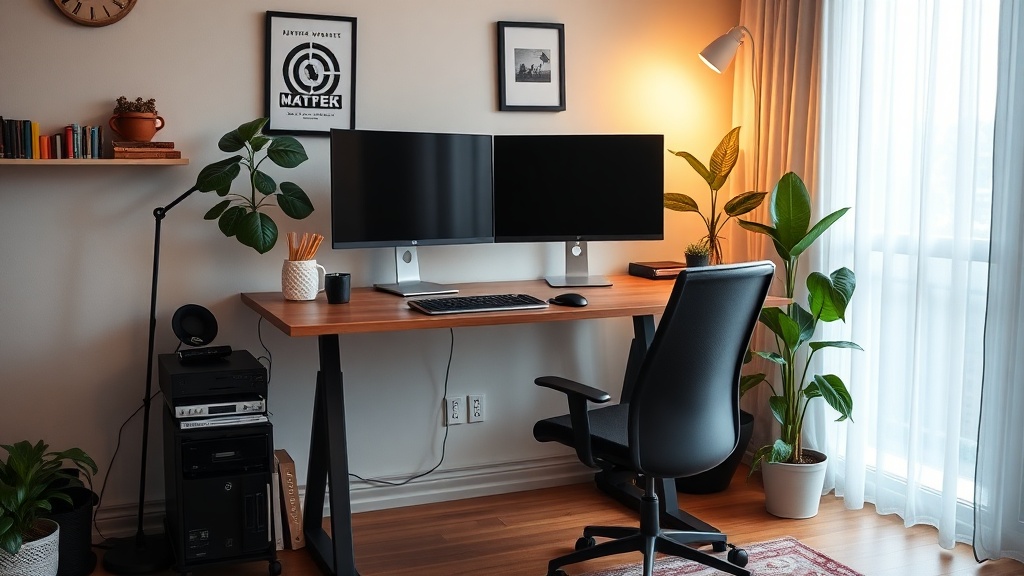
Choose the Right Space
- Quiet Zone – Select a room or corner with minimal ambient noise.
- Consistent Location – Work from the same spot daily to build a mental routine.
- Natural Light – Position your desk near a window to reduce eye strain.
A dedicated space signals to your brain that it’s time to focus, reinforcing productive habits.
Ergonomic Setup for Comfort
- Chair – Adjustable, lumbar support, and breathable fabric.
- Desk Height – Keep elbows at a 90‑degree angle; consider a standing desk option.
- Monitor Position – Screen at eye level, 20 inches from your face.
- Keyboard & Mouse – Ergonomic models reduce strain.
Comfort reduces physical fatigue, allowing you to sustain concentration longer.
Lighting & Noise Control
- Ambient Lighting – Use a desk lamp with adjustable brightness.
- Blue‑Light Filters – Protect your eyes during long sessions.
- Noise‑Cancelling Headphones – Block background chatter or use white‑noise apps.
- Sound‑Absorbing Materials – Add curtains or foam panels to dampen echoes.
Good lighting and sound management create a serene workspace that supports deep work.
Personalization & Motivation
- Inspirational Decor – Add a vision board, favorite artwork, or plants.
- Color Psychology – Use calming blues or energizing yellows to influence mood.
- Minimal Clutter – Keep only essential tools on the desk; store the rest.
Personal touches keep you motivated while maintaining a clean, distraction‑free environment.
Techniques for Managing Distractions in a Home Office
- Pomodoro Technique – Work for 25 minutes, then take a 5‑minute break.
- Distraction Log – Record every interruption; analyze patterns to mitigate them.
- Focus Apps – Use website blockers like Freedom or Cold Turkey.
- Set Boundaries – Communicate your schedule to family members or roommates.
By proactively addressing distractions, you preserve your mental bandwidth for high‑value tasks.
Leverage Productivity Tools and Apps to Stay on Track
Technology is your ally when it comes to remote work. The right combination of apps can streamline workflows, enhance collaboration, and keep your projects on schedule. Below are the top categories and tools that embody the remote work best practices 2024.
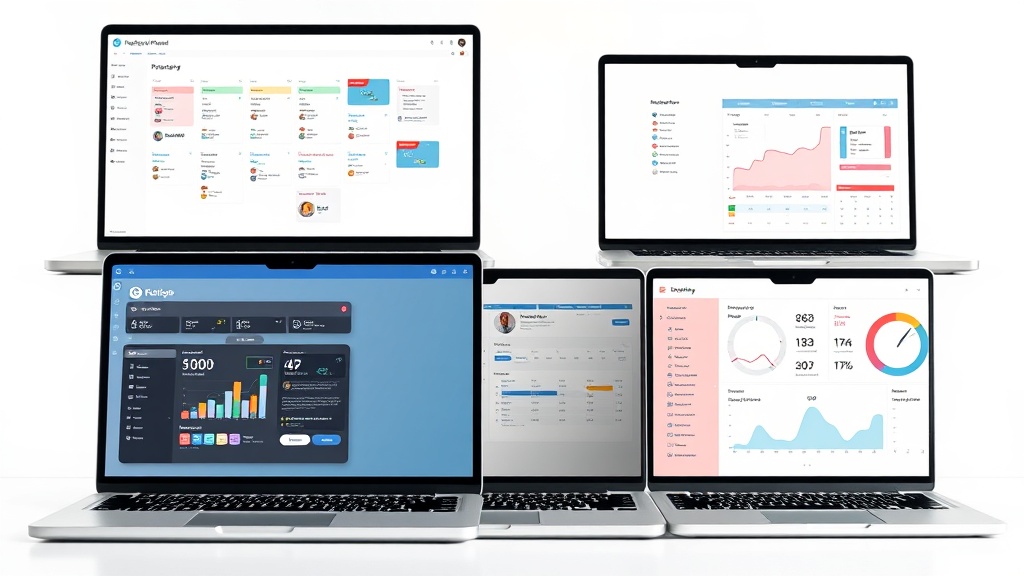
Project Management Platforms
- Asana – Task boards, timelines, and automated reminders.
- Trello – Kanban boards with card‑based organization.
- ClickUp – All‑in‑one workspace with docs, goals, and reporting.
Choose a platform that matches your team size and project complexity.
Communication & Collaboration
- Slack – Real‑time messaging with channels and file sharing.
- Microsoft Teams – Integrated video calls, chat, and Office 365.
- Zoom – High‑quality video conferencing for remote meetings.
Effective communication reduces misalignment and keeps everyone on the same page.
Time Tracking & Focus
- Toggl Track – Simple click‑track time and generate reports.
- RescueTime – Automated activity monitoring and productivity insights.
- Focus@Will – Music designed to enhance concentration.
Track where your hours go to identify bottlenecks and optimize your schedule.
Automation & Integration
- Zapier – Connect apps to automate repetitive tasks.
- IFTTT – “If this, then that” workflows for everyday actions.
- Microsoft Power Automate – Enterprise‑grade automation with Office integration.
Automating routine processes frees up mental space for creative problem‑solving.
Remote Work Productivity Hacks for 2024
- AI‑Powered Meeting Summaries – Tools like Otter.ai transcribe and highlight key points.
- Virtual Whiteboards – Miro or Mural for brainstorming sessions.
- Cloud Storage – Google Drive or Dropbox for instant file access.
- Digital Notebooks – Evernote or Notion for organizing notes and research.
These hacks reflect the evolving landscape of remote work and help you stay ahead of the curve.
Conclusion
Mastering remote work productivity tips 2024 is all about intentional goal setting, a thoughtfully designed workspace, and leveraging the right tech stack. By setting clear priorities, protecting your work‑life boundary, managing distractions, and using powerful productivity tools, you can transform your home office into a powerhouse of efficiency.
Ready to take your remote work game to the next level?
- Download our free eBook on remote work productivity or
- Sign up for our newsletter to receive exclusive tips and resources straight to your inbox.
Let’s make 2024 the year you achieve peak productivity from anywhere.